In this article
- Shopify's report marks LCP Good at 2,500 ms or under, INP at 200 ms and CLS at 0.1, from real visits.
- Built for Shopify apps must not cut your storefront Lighthouse performance score by more than ten points.
- Shopify's image_tag lazy loads images in lower sections by default, so keep your hero image loading eagerly to protect LCP.
- Shopify runs pixels added through Customer events in a sandbox, yet still warns that more scripts mean a slower store.
- PageSpeed Insights field data covers 28 days of Chrome visits and leaves out Chrome on iOS, so read Shopify's report too.
Shopify speed optimization is the work of getting your store’s three Core Web Vitals, Largest Contentful Paint (LCP), Interaction to Next Paint (INP) and Cumulative Layout Shift (CLS), into the good range for most of your visitors. Shopify already runs the hosting, the CDN and the compression, so the levers left to you are your theme, apps, tags, images, fonts and Liquid code.
Those levers drift. Every app you install, tag you add and section you drop into a template can add weight, and Shopify’s help center names your theme, your apps and any third-party code, tag managers included, as the biggest factors in store performance. This guide takes each one in the order we’d check it and shows you how to confirm every fix with real visitor data, not a single test score.
A word on our stake first. We’re paid to work on Shopify stores, and this guide closes with an offer. Each step before it is something you or your developer can do from your admin and a browser, sourced to Shopify’s and Google’s own documentation.
What does Shopify already handle for your store’s speed?
A lot of generic speed advice doesn’t apply to Shopify. Shopify’s help center says every store runs on a content delivery network operated by Cloudflare, sets browser caching for cacheable files to one year, compresses CSS, JavaScript and pages, and minifies CSS and JavaScript automatically. Its developer docs add that Shopify injects speculation rules in supporting browsers, set to give the largest speed gains without causing problems with data usage, caching or analytics.
Images get similar treatment. Shopify doesn’t compress images when you upload them. Its image CDN resizes and compresses them at delivery, and serves formats such as WebP and AVIF to browsers that support them. The help center even says images don’t need compressing before upload and that you should upload the best quality you have.
That’s why Shopify warns that third-party scanning tools often recommend changes it has already made or that don’t apply to its stores. If a report tells you to add a CDN, turn on compression or change server caching headers, skip that line. Shopify’s own list of recommendations worth acting on is short. It covers your images, your apps and your theme.
How do you read Shopify’s web performance dashboard?
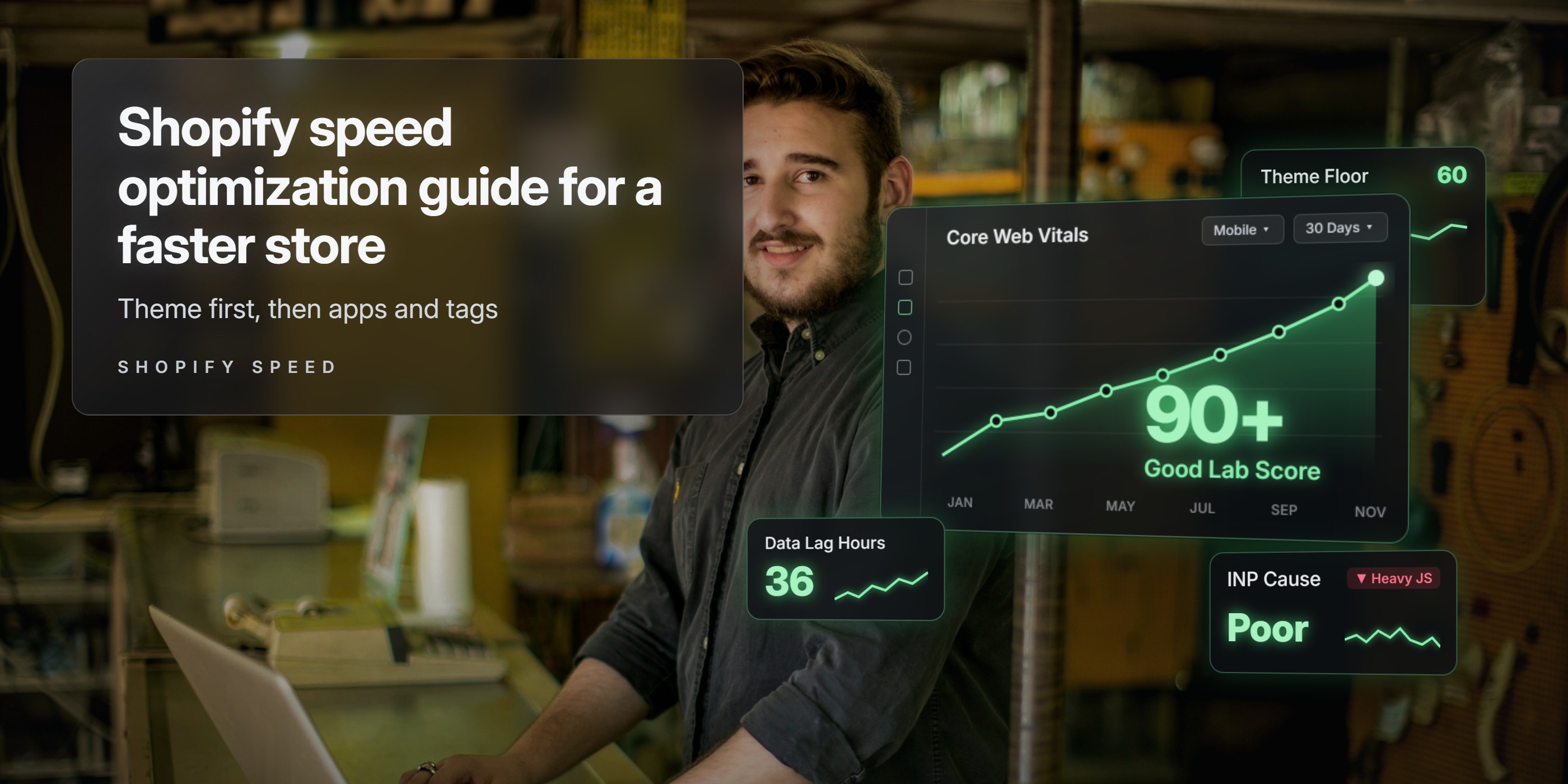
Shopify’s web performance reports are the best place to start, because they measure real shoppers on your real store rather than one simulated visit. You need the Reports staff permission to see them, your store can’t be password protected, and the data can lag by up to 36 hours.
From your Shopify admin, go to Online Store > Themes. The summary there shows your LCP, INP and CLS at the 75th percentile of visits, for today, the last 7 days or the last 30 days, and ranks each one Good, Moderate or Poor against these targets.
| Core Web Vital | What it measures on a store page | Good | Moderate | Poor |
|---|---|---|---|---|
| Largest Contentful Paint (LCP) | When the biggest image or text block in view finishes rendering, often a hero banner or main product photo | 2,500 ms or less | Over 2,500 ms and under 4,000 ms | Over 4,000 ms |
| Interaction to Next Paint (INP) | The delay between a tap or click, such as a size swatch or add to cart, and the page visibly reacting | 200 ms or less | Over 200 ms and under 500 ms | Over 500 ms |
| Cumulative Layout Shift (CLS) | How much content moves unexpectedly while the page loads | 0.1 or less | Over 0.1 and under 0.25 | 0.25 or more |
Then drill down. Under Analytics > Reports, search for “contentful”, “next” or “cumulative” to open each metric’s reports. The Over Time report draws numbered annotations on the chart for changes such as app installs, theme updates and new code, so you can see whether a drop lines up with something you did. The Page Type report shows whether one template, such as product pages, drags the score down, and the Page URL report narrows it to single pages.
Read the results calmly. Shopify says the odd date or page in the moderate or poor range isn’t worth worrying about while the overall metric is good. On a low-traffic store, switch to weekly or monthly grouping, because smaller samples swing more.
What do LCP, INP and CLS measure on a Shopify page?
Each Core Web Vital maps to a moment a shopper notices. Google’s web.dev guidance uses the same good thresholds as Shopify, measured at the 75th percentile of page loads, and counts a page as passing only when all three meet their targets.
Largest Contentful Paint is loading, the render time of the largest image, text block or video in the viewport. On a product page that’s often the main photo. Shopify’s performance team lists the usual LCP problems on Shopify sites as a lazy-loaded LCP image, fade-in transitions on it, images found late because they’re set in CSS or JavaScript, and pop-ups or cookie banners big enough to become the largest element themselves.
Interaction to Next Paint is responsiveness. It observes every click, tap and key press during a visit and reports the longest one, ignoring outliers. On a store, that’s the gap between tapping a variant picker or the add to cart button and the page visibly reacting. Shopify’s help center says a poor INP most likely means too much JavaScript from your theme, apps or tag manager code.
Cumulative Layout Shift is stability. Google names likely causes such as images or videos without known dimensions, fonts that render larger or smaller than their fallback, and third-party widgets that resize themselves. Shopify’s performance team names apps that inject announcement banners, payment options or stock levels without reserving space among the most common causes on stores.
How do you test a Shopify page in PageSpeed Insights?
PageSpeed Insights shows two kinds of data on one screen, and mixing them up is the easiest way to misread a store. Google’s documentation describes them as real-user field data from the Chrome User Experience Report (CrUX), covering the previous 28-day collection period, and lab data from Lighthouse, which loads the page in a simulated environment.
The field data matches what shoppers experience, with limits. CrUX only includes pages and origins that are publicly discoverable and have enough visitors, so a newer page falls back to data for your whole site, and a small store may show none at all. CrUX also doesn’t collect data from Chrome on iOS, so if most of your shoppers use iPhones, the field data leaves many of them out.
The lab score is a diagnostic tool, not a grade. Lighthouse simulates a mid-tier phone on a mobile network, Google calls 90 or above a good score, and it says the score varies from run to run. Lighthouse can’t measure INP at all, since nobody interacts with the page, so web.dev points to Total Blocking Time as the lab stand-in.
Run the mobile test on a home page, a collection page and a product page, several times each, and compare medians before and after a change. That mirrors how Shopify scores themes. Its developer docs weight the three mobile scores with the formula [(p * 31) + (c * 33) + (h * 13)] / 77, which counts collection and product pages far more heavily than the home page.
Is your theme the biggest speed decision you make?
For most stores, yes, because the theme sets the baseline every app and section builds on, and Shopify lists it first among the factors that affect performance. Themes in the Shopify Theme Store must reach a minimum average Lighthouse performance score of 60 across the home, product and collection pages of a benchmark shop. Shopify also says its Horizon family themes and its own Online Store 2.0 themes are free and optimized for web performance.
A benchmark score isn’t your score, because your products, images, apps and sections add weight. Shopify’s help center names three theme choices to watch. Page transitions and other animations can slow pages, so compare your numbers before and after you switch them on. High numbers of sections on a template lower performance. And for collections with a lot of products, it suggests turning on pagination so fewer load at one time.
Test a new theme on its preview, with your own products loaded, and run the same mobile Lighthouse test before you publish it. Then see our Shopify design guide for layout choices that keep pages light. Rebuilding on a JavaScript framework is rarely the shortcut it looks like. Shopify’s performance team says most Shopify stores are primarily static content and probably don’t need a front-end framework, and that a server-side setup such as Hydrogen and Oxygen is the route if you must use one, which is the trade-off behind any headless Shopify build.
How do apps and their scripts slow down a Shopify store?
Apps are where stores pick up weight after launch. Shopify’s help center says too many apps loading assets on your storefront can slow performance, asks you to check that apps and third-party code create “enough value to offset any potential performance losses,” and tells you to remove any app that isn’t essential for sales.
Shopify gives you a filter before you install. Apps with Built for Shopify status show a badge on their App Store card, and the App Store has a search filter for them. One requirement for that status reads, “Your app must not reduce the storefront Lighthouse performance score by more than ten points.” Another requires storefront apps to use theme app extensions, which Shopify says integrate without injecting code into your theme, and whose blocks are removed automatically and entirely when you uninstall.
Older apps don’t always clean up after themselves. Shopify warns that uninstalling an app doesn’t automatically remove its code from your theme, so ask the developer for removal steps. Its performance team has written about helping a merchant find a 2MB third-party script the merchant thought was already uninstalled.
To measure what one app costs, use the method Shopify’s performance team describes. In Chrome DevTools, block the app’s script domain with network request blocking, record the page load in the Performance panel, and compare scripting time with and without it. Page builder apps deserve the same test, and our guide to building a Shopify landing page covers when a builder earns its place over your theme’s own sections.
How should you set up images and lazy loading?
Shopify’s theme code does much of the image work for you. The image_tag Liquid filter adds width and height attributes from the image’s dimensions, which lets the browser reserve space and avoid layout shift. It also outputs a srcset, so each device downloads a size that fits its screen instead of your full upload.
Lazy loading is where themes go wrong. By default, image_tag lazy loads images in sections further down the page unless they’re preloaded, and Shopify’s developer docs say content above the fold should load normally because it’s critical. A theme that lazy loads every image, or a lazy loading script added on top, breaks that rule. In a post dated January 2024, Shopify’s performance team reported that Shopify sites lazy loading their LCP image had a median LCP 1.0 second slower than sites loading it eagerly.
For the hero image, setting preload to true on image_tag makes Shopify send a preload hint as a Link header, and Shopify suggests saving it for above-the-fold images. A fade-in or blur-up effect delays the moment the browser counts the hero as painted, and a CSS background image is found late, after the CSS is parsed. Shopify’s performance team recommends showing the image immediately and rendering it with image_tag in the HTML.
Then look at what you upload. Shopify’s help center recommends JPEG for photographs such as banners and slideshows, and PNG for logos, icons and graphics with transparency. For square product photos, it says 2048 x 2048 px usually displays best, with one consistent aspect ratio across main product images. Before paying for an image optimizer app, see our Shopify SEO app comparison on whether you need one.
Do fonts slow down Shopify pages?
They can, in two ways. Google’s web.dev guidance explains that browsers typically delay text rendering until a web font loads, which can push back First Contentful Paint and sometimes LCP, and that swapping from a fallback font to the web font can shift the layout when the two take up different space.
The fastest font is one the browser doesn’t download. Shopify’s theme docs suggest considering a system font, which avoids fetching another file before your text can render. If your brand needs a web font, keep it inside Shopify’s font library. The font_face Liquid filter writes the @font-face rule with font files served from your own store’s domain, and accepts a font_display setting of swap, so text shows in a fallback font while the web font loads.
Count your files, too. Each rule font_face generates covers one weight and style, so regular and bold are separate downloads. Fonts pulled from an outside service, pasted into theme.liquid or added by an app, need their own connection first, because Google notes that fonts on third-party sites require separate connection setups. If you must keep one, Google suggests a preconnect hint to that host.
How do third-party tags and pixels affect store speed?
Tags are the snippets that track visits, measure ads and run tests, and Shopify counts tag managers and the tags inside them among the biggest factors in store performance. Its first instruction is to audit your tag manager and remove unused or low-value tags.
Where a tag runs matters too. Shopify’s Customer events section holds app and custom pixels and runs them in a sandbox, an isolated environment it says lets scripts run without affecting the rest of your store. It lists “Prevention of third-party code running non-performing Javascript” among the benefits, and its Built for Shopify rules require analytics and pixel apps to use web pixel extensions instead of script tags. Even Google Tag Manager can be added as a custom pixel, under the same sandbox rules.
The sandbox isn’t a free pass. Shopify’s pixel guide says, “The more scripts you have, the slower your store will run.” The sandbox also can’t render banners or forms, or scrape clicks for heatmaps, so check with each vendor before you move its tag.
Two kinds of script do outsized damage. A/B testing tools often ship an anti-flicker snippet that hides the page until the test script runs, which Shopify’s performance team names as a common cause of slow first paint. Email pop-ups and cookie banners that appear before any interaction can become the largest element on screen and delay LCP. The same team notes that most pop-up apps can wait for a scroll or other interaction, so turn that setting on.
How do Liquid code and sections affect load time?
Liquid runs on Shopify’s servers before the page is sent, so slow Liquid shows up as a slow Time to First Byte (TTFB), and everything else waits behind it. Shopify’s performance team says poor TTFB is rare on Shopify, and that the usual cause when it happens is complex Liquid, such as nested loops or code that calls far more data than the page needs.
The Shopify Theme Inspector for Chrome finds it. The browser extension shows Liquid render profiling as a flame graph, so you can see which code takes the time, on your own store or one where you have collaborator access. Shopify’s developer docs give a typical fix. If you need a collection sorted by price, sort it before the loop, not inside it, because repeating that work for every product adds render time.
Mega menus are the other usual suspect. Shopify’s performance team described a store whose separate mobile and desktop menus held over 5,000 DOM nodes between them, on a page with 6,800 in total. One menu styled for each screen size cuts that weight.
Keep templates lean as well. Shopify’s developer docs recommend Theme Check, which flags large CSS and JavaScript bundles, remote assets and parser-blocking scripts in theme code.
Why should you test mobile speed first?
Fix your mobile numbers first, for two reasons. Google uses the mobile version of a site’s content, crawled with its smartphone agent, for indexing and ranking, which is what mobile-first indexing means for a store’s search visibility. And the mobile test is the stricter one. PageSpeed Insights runs mobile Lighthouse on a simulated mid-tier phone over a mobile network, while desktop gets an emulated desktop with a wired connection.
Shopify’s reports split results by device type, so check whether your mobile LCP or INP sits in a worse band than desktop. When you test by hand, copy the method Shopify’s performance team uses to spot layout shifts. In Chrome DevTools, disable the cache and throttle the network, then reload the page several times and watch what moves. Its reasoning is that you’re probably testing on a fast computer and connection, while most shoppers browse on phones with slower processors and networks. In Shopify’s Page Type report, set the device type filter to mobile, since a template can pass on desktop and still fail on phones.
Does Shopify speed optimization help your SEO and sales?
It helps both, though nobody can promise you a fixed return. Google’s Search Central says, “We highly recommend site owners achieve good Core Web Vitals for success with Search,” adding that this aligns with what its core ranking systems seek to reward. Speed sits next to crawling, indexing and site structure, which our guide to technical SEO for ecommerce covers, and our Shopify SEO guide shows where it fits on a Shopify store. A fast page still has to be indexed to rank, so make sure you submit your Shopify sitemap in Search Console.
On sales, Shopify’s help center says optimizing web performance means “that your customers are more likely to stay on your site and convert.” You’ll also see claims that each second of delay costs a set share of revenue. Treat any such figure with care unless it names the study, who ran it and when, because one retailer’s results don’t transfer to your store.
The honest measure is your own. Note your conversion rate next to your Core Web Vitals before a round of fixes, then compare both once the 30-day summary reflects the change. Speed pays off more when the pages it speeds up are worth landing on, so pair it with optimizing your Shopify store for conversion.
What we’d do first to optimize Shopify speed
To optimize Shopify speed in a week rather than a quarter, work in this order, cheapest step first.
- Read the Themes page summary and the Page Type reports to find the failing metric and template.
- Check the first large image on your top product and collection templates for lazy loading, fade-ins and CSS backgrounds.
- List every app and tag that loads on the storefront, and remove the ones nobody can tie to sales.
- Move tracking into Customer events where the vendor supports it, and delay pop-ups until interaction.
- Profile the slowest template’s Liquid with Theme Inspector, starting with menus and loops.
- Recheck the Over Time report once the data catches up, and keep the changes that moved a metric.
We’d leave a theme switch for last. It’s the biggest change on the list, and the steps above may close the gap first. If INP stays Poor after the app and tag cleanup, what’s left is mostly theme code, and that’s the point to bring in a developer rather than another app.
When is a Shopify speed optimization service worth paying for?
We sell this kind of work, so weigh this section with that in mind. Pay for help when the fixes you can make from your admin are done and a metric is still Moderate or Poor. Shopify’s help center draws the line for you. On one of Shopify’s free themes, Shopify Support might be able to help with basic performance improvements. On a third-party theme, Shopify points you to the theme developer or a Shopify web performance expert, and for an app problem, to the app developer.
A good Shopify speed optimization service starts from your field data, names the metric and template it’s fixing, and reports the result in Shopify’s reports or CrUX once the data has caught up, not only as a Lighthouse score. Be wary of any offer built on things Shopify already does, such as adding a CDN or turning on compression.
Speed also drifts after a one-off fix, as new apps, campaigns and theme updates arrive. Start with the Themes page summary today, find the metric and template that are failing, and work down the list above. If you’d rather have someone watch those numbers every week, our Shopify maintenance plan puts your Core Web Vitals in a weekly report.
Frequently asked questions
Why is my Shopify store slow?
Most slow Shopify stores are slow because of what's been added to them, not the platform. Shopify names your theme, your installed apps and third-party code such as tag managers as the biggest factors. Common culprits include a lazy-loaded hero image, app code left behind after an uninstall, pop-ups that load before any interaction and too many sections on a template. Check your web performance reports to find the failing metric and page type first.
How can I check the speed of my Shopify store?
Open Online Store > Themes in your Shopify admin to see your LCP, INP and CLS from real visitors, ranked Good, Moderate or Poor. For detail, search Analytics > Reports for the web performance reports by page type and URL. Then run your home, collection and product pages through Google's PageSpeed Insights, which adds 28 days of Chrome field data and a Lighthouse lab test with specific diagnostics.
What is a good largest contentful paint?
A good Largest Contentful Paint is 2.5 seconds or less, measured at the 75th percentile of page loads, so at least three in four visits should reach it. Google and Shopify draw the same line. Shopify's reports call anything over 2,500 and under 4,000 milliseconds Moderate, and anything over 4,000 milliseconds Poor. On a store page, the LCP element is often the hero banner or the main product photo.
What does interaction to next paint mean?
Interaction to Next Paint, or INP, measures how quickly a page visibly responds when someone clicks, taps or presses a key. Google's definition observes every interaction during a visit and reports the longest one, ignoring outliers. A good INP is 200 milliseconds or less, and anything over 500 milliseconds is poor. On Shopify, the help center says a poor INP most likely means too much JavaScript from theme, app or tag manager code.
Which is the fastest Shopify theme?
No single theme is fastest for every store, because your products, images and apps change the result. Every Theme Store theme must average a Lighthouse performance score of at least 60 across home, product and collection pages on Shopify's benchmark shop, and Shopify says its free Horizon family and Online Store 2.0 themes are optimized for performance. Preview your shortlist with your own products and compare mobile scores before you choose.
What are the best free Shopify speed optimization apps?
The most useful free speed tools for Shopify aren't App Store installs. Shopify's web performance reports are built into your admin, Google's PageSpeed Insights runs in your browser, and the Shopify Theme Inspector is a Chrome extension, and together they show where the time goes. A speed app is still another app on your storefront, and every Shopify store already has a CDN, compression and minification built in. If you do install one, choose an app with the Built for Shopify badge.
What are the best fonts to use on Shopify?
For speed, system fonts are the best choice, because the browser already has them and doesn't download a file before showing your text, which is why Shopify's theme docs suggest considering one. If your brand needs a custom typeface, choose it from Shopify's font library, which serves the files from your own store's domain. Keep weights to a minimum, since each weight and style is a separate download.
Is PNG or jpeg better for Shopify?
It depends on the image. Shopify's help center recommends JPEG for photographs such as banners and slideshows, and PNG for logos, icons and graphics with flat colors or transparency. Its pages differ on product photos, with one naming PNG first and another JPEG, so either works there. Shopify also delivers WebP or AVIF to browsers that support them, whichever format you upload.
How to see Core Web Vitals?
On Shopify, the quickest view is the performance summary on the Themes page of your admin, with detailed reports under Analytics > Reports. Outside Shopify, PageSpeed Insights shows field data from the Chrome User Experience Report for a page or your whole site, and Google Search Console's Core Web Vitals report shows how your pages perform. Lighthouse measures LCP and CLS in the lab, but not INP.