In this article
- Headless Shopify keeps checkout, payments and orders on Shopify while your developers build and host the storefront separately.
- Oxygen hosting for Hydrogen comes with every Shopify plan except Starter, so you don't need Plus to go headless.
- A Next.js front end uses the same Storefront API, but its hosting and that bill sit outside Shopify.
- Roboto Studio put a Hydrogen build at $50,000 to $250,000, against $20,000 to $130,000 for a custom theme.
- On a headless store, sitemaps, robots.txt, meta tags and redirects become your developers' work instead of Shopify's.
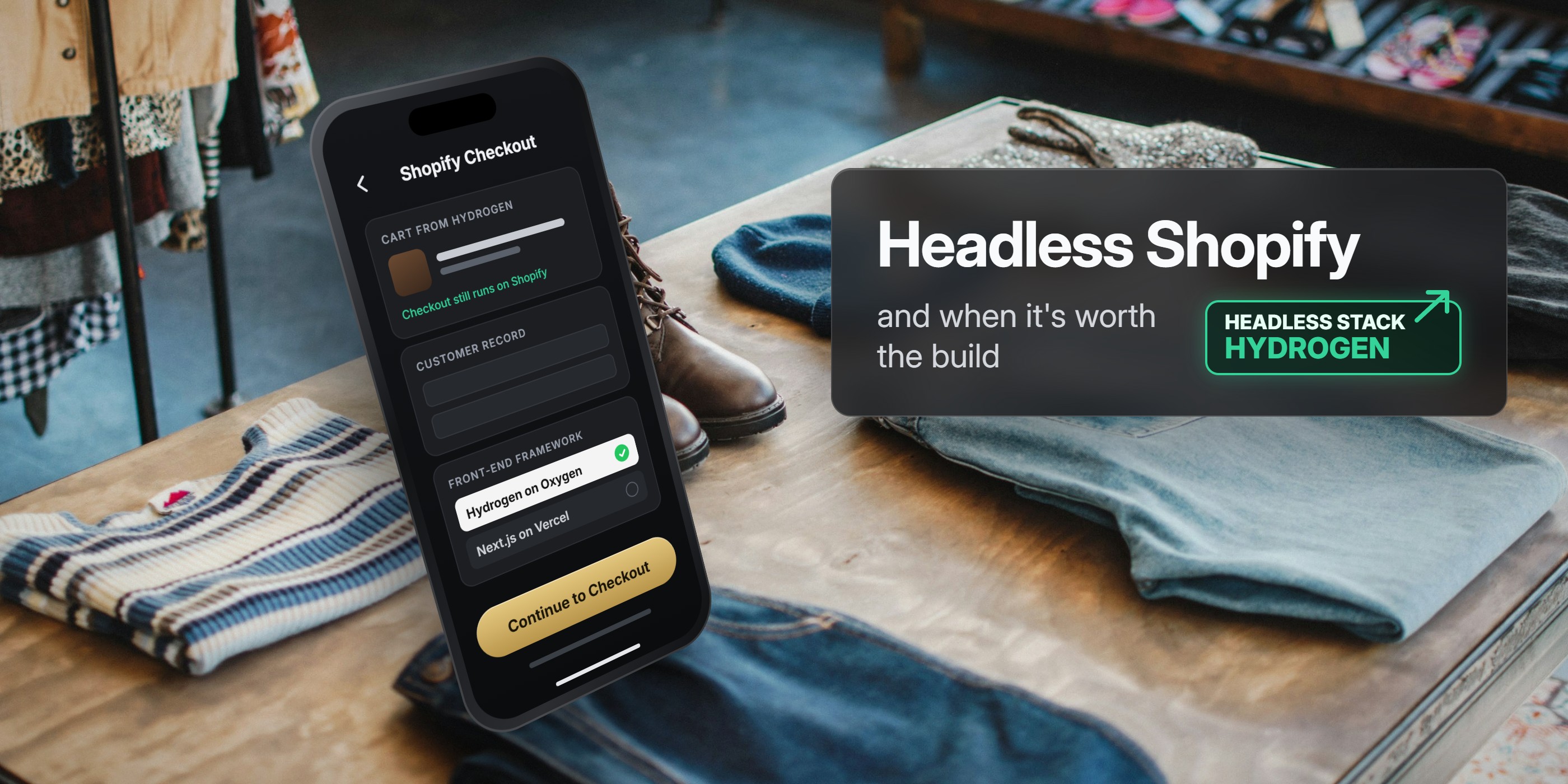
Headless Shopify means Shopify keeps running your products, cart, checkout and orders, while the storefront your shoppers see is a separate app that your developers build and host. The two halves talk through Shopify’s Storefront API. Shopify’s own route is Hydrogen, its React framework, deployed to its Oxygen hosting, but any framework that can call the API, Next.js included, will work.
Going headless buys you full control of the front end. It costs you the theme editor, the plug-in storefront apps and a launch measured in weeks. Choose it for the wrong reason and you can spend months building a store that sells no better than a good theme would. We build theme-based Shopify stores as well as Shopify Plus and Hydrogen storefronts, so we’re paid on either path, and this guide ends with a link to our Shopify Plus service.
What does headless Shopify mean in practice?
On a standard Shopify store, the theme and the store are one system. Shopify renders the pages, and you change them in the theme editor or through apps that add blocks to the theme. Headless splits that in two. Shopify’s developer docs describe it as getting “all the power of Shopify under the hood, with complete control over the frontend.”
Your developers build the storefront as its own application, and it asks Shopify for products, prices, inventory and the cart through an API. Shopify still holds the catalog, runs checkout and payments, and keeps your orders and customer records. When a shopper is ready to pay, the cart your storefront built hands them a checkout URL, and they finish on Shopify’s checkout.
That last point surprises people. Going headless doesn’t give you a custom checkout. Shopify’s pricing page lists checkout customization as limited on Basic, Grow and Advanced and full only on Plus, and that rule holds whatever front end you build. If checkout changes are what you’re after, read up on Shopify checkout customization before you scope a new storefront.
Shopify’s own enterprise blog is frank about the trade. If your business is doing well on a traditional setup, it says, it “may not be worth the financial and time resources to invest in headless.” The case for it rests on wanting more personalized experiences and more flexible development, and on having the technical resources to support the change.
How does the Storefront API connect your storefront to Shopify?
The Storefront API is the link between the two halves. Shopify describes it as a GraphQL API that requires an access token tied to a specific store and can be called from any HTTP client. Shopify’s enterprise blog calls it the foundation of its headless platform, covering the cart, product and collection pages, search and recommendations, and contextual pricing.
You switch it on by installing Shopify’s Headless channel and creating a storefront, which generates a public and a private access token. Public tokens are for calls from a browser or mobile app, and private tokens are for server-side calls, such as a Hydrogen backend. The channel also sets permissions on what each storefront can read, so a storefront only sees the data you allow.
Some data needs no token at all. Shopify’s reference lists products, collections, search, pages, blogs, articles and the cart as available through tokenless access, with a query complexity limit of 1,000. Product tags, metafields, metaobjects, menus and customer data need a token.
Two details shape your engineering budget. Requests from real shoppers aren’t held to a fixed per-minute limit, so a flash sale doesn’t run into an API ceiling, while automated traffic such as bots and crawlers is rate-limited and requests that look malicious get a 430 error. And the API is versioned, with new releases four times a year, and Shopify’s reference tells you to specify a supported version in every request URL.
What are Hydrogen and Oxygen?
Hydrogen and Oxygen make up what Shopify’s docs call its recommended stack for headless commerce. Hydrogen is the framework your developers build with, and Oxygen is the hosting it deploys to. Together they answer the most common complaint about headless, that you have to assemble the whole stack yourself.
Shopify’s docs describe Hydrogen projects as React Router apps preconfigured with Shopify-specific features. React Router handles routing, data fetching and server-side rendering, and Hydrogen adds components, utilities and command-line tools wired to Shopify’s APIs. Shopify says Hydrogen is 100% open source. A new project starts from one command, and the quickstart scaffolds the routes a store needs, including product, collection, cart, blog, search, account and policy pages, plus sitemap.xml and robots.txt. The setup can also lay out several markets with subfolders, subdomains or separate domains.
Oxygen is Shopify’s global serverless hosting for Hydrogen storefronts. It handles deployment environments, environment variables, caching and the link to Shopify’s CDN. Shopify’s docs say continuous deployment, push-to-preview and instant rollbacks are included at no extra cost, and Hydrogen’s own site says Oxygen is available on all Shopify plans except Starter. Every deployment gets its own preview URL, and Hydrogen and Oxygen support continuous deployment from GitHub out of the box.
The trade is speed for independence. Hydrogen’s defaults save your developers setup time, but they’re Shopify’s defaults, and your front end moves on Hydrogen’s release cycle as well as the API’s. Shopify’s docs keep a separate section on migrating and upgrading for that reason.
Can you build the front end with Next.js instead?
Yes. Shopify’s getting-started guide calls its API framework agnostic and names Hydrogen, Next.js and Vue as options, and its headless overview describes a bring-your-own-stack route that works with any language and any framework and can be hosted anywhere. Shopify’s enterprise blog adds Gatsby and Astro to that list.
Next.js is the most common alternative. Vercel’s Next.js Commerce template is a starter kit for Shopify, built as a server-rendered Next.js App Router application, and Vercel says the Shopify version is the one it actively maintains. Shopify’s enterprise blog points to the clothing retailer Kotn, which used the Storefront API and Next.js to merge two stores into one, with a new CMS and custom product pages. Its co-founder is quoted saying that Shopify covers 80% of the brand’s needs and that headless is for the remaining 20%.
The difference that matters most is hosting. A Hydrogen app can deploy to Oxygen as part of your plan. A Next.js, Vue or Astro front end needs its own host, such as Vercel or Netlify, and that bill sits outside Shopify. Talk Shop, a publication for Shopify developers and merchants, estimated in March 2026 that a production Hydrogen app hosted on Vercel instead can run $20 to $100 or more a month in function invocations and bandwidth.
If your content already lives in WordPress, Shopify’s headless docs list a Shopify plugin for WordPress among the bring-your-own-stack options, and our look at headless WordPress builds covers the content side of that setup.
Do you need Shopify Plus for headless commerce?
No, but Plus changes how far you can take it. Oxygen runs on every Shopify plan except Starter, and Shopify’s pricing page lists a headless storefront on Basic, Grow and Advanced, at $39, $105 and $399 a month. The same page lists 25 headless storefronts on Plus, which starts at $2,300 a month. On a 3-year term Plus costs $2,300 a month, and $2,500 on a 1-year term, according to Shopify’s help center, which also notes that a variable platform fee may apply to complex, higher-volume businesses.
Plus matters when headless is part of a bigger setup. In practice, Shopify Plus headless commerce means several storefronts for brands or regions, a checkout you can customize fully, and API limits sized for heavy traffic. Shopify’s pricing page lists checkout customization as full only on Plus, and its API rate limits rise from standard on Basic and Grow to up to 10 times standard on select APIs on Plus. Wholesale follows the same pattern. Since April 2026 Shopify’s B2B features reach Basic, Grow and Advanced, but Plus keeps unlimited catalogs, catalogs assigned to individual companies, deposits and partial payments, and Shopify’s headless docs carry a separate guide to running B2B on a custom storefront.
If one storefront and Shopify’s standard checkout cover what you need, a standard plan can run a headless store. Before you upgrade for headless alone, go through the Shopify Plus features that come with the plan and check which ones you’d actually use in the next year.
What do you give up, and what does your team take on?
You give up the parts of Shopify that let someone who doesn’t code change the store. Shopify’s own comparison table says a traditional store is locked into the platform’s themes, while headless gives you total creative freedom. That freedom shows up in everyday work. A developer posting in Shopify’s community forum in February 2026 summed it up in one line. “Even small frontend tweaks usually require a developer.”
- Content editing. The theme editor doesn’t drive a headless storefront, so most teams add a headless CMS. Shopify’s Hydrogen listing names Sanity, Contentful and Builder.io among the tools it works with, and Shopify’s own metaobjects can be read through the Storefront API with a token.
- Apps. Apps that add blocks to a theme don’t appear on a custom front end by themselves. You need apps with headless support, or code that calls them, and Shopify’s headless docs point you to a separate set of apps built for custom storefronts.
- Time to launch. The same forum post compares a custom Liquid theme that might take weeks with a headless build that typically takes months.
- Upkeep. You own the front end’s hosting, security and upgrades. Shero Commerce, a Shopify agency, warns that building a headless store is only the first expense and that maintaining it takes ongoing developer resources.
What you keep is the back office. Products, inventory, orders, payments, customer records and checkout stay in Shopify, and your staff keep working in the same admin. Your developers need React and GraphQL for Hydrogen, and Shopify’s quickstart asks for Node.js, so plan for that skill set in-house or on a retainer.
What does headless Shopify cost?
The Shopify side costs the same as any store, and the front end is where the money goes. Hydrogen is open source, and Oxygen hosting comes with every Shopify plan except Starter. The build, the hosting if you leave Oxygen, and the developer time after launch are the real lines.
The ranges below come from Roboto Studio, a headless development agency, which published them in March 2026 for mid-range builds with a standard agency retainer. They are one agency’s figures, not a market survey, but they are the most complete dated breakdown we found.
| Cost line | Off-the-shelf theme | Custom theme | Hydrogen on Oxygen | Next.js with a CMS |
|---|---|---|---|---|
| Initial build | $0 to $6,000 | $20,000 to $130,000 | $50,000 to $250,000 | $65,000 to $300,000 |
| Front-end hosting | Included | Included | Included on Oxygen | $20 to $100 a month on Vercel |
| Agency retainer | $500 to $10,000 a month | $5,000 to $25,000 a month | $5,000 to $25,000 a month | $5,000 to $25,000 a month |
| Year one, all in | About $12,000 | About $100,000 | About $230,000 | $150,000 to $180,000 |
Read the columns with two caveats. Roboto’s Hydrogen column assumes Shopify Plus, while its Next.js total runs from $150,000 without Plus to $180,000 with it. It also budgets an extra $7,000 to $25,000 to replace storefront apps such as reviews, loyalty and search, which the table leaves out, and it says your numbers will vary with complexity, integrations and where your agency is based.
The Shopify subscription is the smallest line. Shopify’s pricing page lists Basic, Grow and Advanced at $39, $105 and $399 a month and Plus from $2,300, whichever front end you run. The build and the people after it are what separate a $12,000 year from a six-figure one, so compare headless quotes on the upkeep, not only the launch. For the plan fees, card rates and add-ons on the Shopify side, see how Shopify’s pricing breaks down.
How does going headless affect your SEO?
A headless store can rank as well as a theme, but none of the SEO basics come free anymore. On a theme, Shopify handles them. Its help center says it adds canonical tags automatically, generates your sitemap.xml and robots.txt files, and that themes write title tags that include your store name. On a custom front end, each of those becomes code your developers write and maintain.
Hydrogen covers most of the ground. Shopify’s Hydrogen SEO guide says optimizing for search engines and social media requires configuring meta tags and descriptions, sitemap.xml and robots.txt. Its getSeoMeta utility renders titles, descriptions, images, canonical URLs and JSON-LD structured data per route. The base template ships sitemap and robots routes, the sitemap updates within a day when you add or remove pages, and unpublished products drop out of it automatically.
Three things still catch teams out.
- Rendering. Hydrogen renders pages on the server through React Router, so search engines receive finished HTML. If you build on another framework, confirm that product and collection pages render on the server too, not only in the shopper’s browser.
- Robots on Oxygen. Oxygen serves your robots.txt only in the public production environment, and only once a custom domain is set. Shared preview links get a disallow rule for all bots and crawlers, which keeps unfinished pages and duplicate content out of search results.
- URLs. Hydrogen’s quickstart routes products under /products/ and collections under /collections/, so a store moving from a theme can keep its existing addresses if the patterns match. Change the patterns and every old URL needs a redirect.
Treat the move like any migration. Crawl the current store first, record every URL that earns traffic, and check each one on the new front end before you switch the domain. Our Shopify SEO guide covers the basics that still apply on either setup.
When is headless Shopify worth it?
Headless earns its cost when the storefront itself is the thing a theme can’t deliver, and when you have the people to keep it running. Shopify’s enterprise blog puts the test in two parts, wanting more personalized experiences with more flexible development, and having the technical resources to support the change. These are the situations where both parts tend to be true.
- One catalog, many front ends. Shopify says the Storefront API serves the web, apps and games, so a store that also sells through a mobile app or in-store screens can run every surface off one catalog.
- Several brands or regions. Kotn merged two stores into one front end. On Plus, 25 headless storefronts can share one back office.
- Content-led selling. If your pages read more like a magazine than a catalog, a headless CMS paired with Shopify gives your editors room a theme won’t.
- Product experiences a theme can’t hold, such as configurators or custom bundle builders that would otherwise be stacked theme apps.
- A team in place. The developer in Shopify’s forum frames the right fit as having a dedicated engineering team or an agency retainer for the ongoing technical debt.
Revenue is a rough proxy for that last point. Shero Commerce says that, in its experience, headless Shopify is only worth it for brands doing $20M or more in annual revenue, or brands with very specific customization needs. Treat that as one agency’s line, not a rule, but it shows how high the bar sits.
When is a theme or another platform the better choice?
For most stores, a theme is the better buy. If your marketing team edits pages every week, relies on storefront apps for reviews, upsells and search, or needs to launch in weeks, headless slows all three down. Shero Commerce’s own advice is that for smaller stores the cost and complexity often aren’t worth it.
There are middle paths before you commit. Shopify’s Storefront Web Components let you sell products anywhere with a few lines of embedded HTML, so you can add buying to another site without rebuilding your storefront. A well-built theme on a standard plan can be fast, and a slow theme is usually a fix, not a reason to change architecture. And if your problem is checkout, B2B pricing or multiple stores, the plan you’re on may matter more than the front end.
You might also decide Shopify isn’t the right back end for a headless store. Our guide to headless ecommerce platforms compares the main options, our primer on ecommerce platform types explains where headless fits beside hosted and open-source platforms, and our side-by-side of the major ecommerce platforms covers the hosted choices.
Where we would start if you’re weighing headless
We would start by writing down the one thing your current theme can’t do. If you can’t name it, or it’s a speed or design problem a better theme would solve, stay on a theme and spend the budget there. If you can name it, check whether a theme app or a Plus feature already covers it, because both cost less than a new front end.
If headless still wins, decide the stack before the design. Hydrogen on Oxygen keeps hosting inside your plan and Shopify’s tooling around it, while Next.js gives your developers a wider choice of tools in exchange for a hosting bill of your own. Then price the first year of upkeep next to the build, list the apps you’ll replace, and plan the URL check before launch day. Shopify’s Hydrogen docs include a production checklist, so ask your developers to work through it and show you the result before the domain moves.
If you’re weighing headless on Plus, or Plus itself for checkout and multiple storefronts, talk to our Shopify Plus developers about what your store needs.
Frequently asked questions
What is a Shopify headless store?
A Shopify headless store is one where Shopify runs the back end, meaning products, inventory, cart, checkout, payments and orders, while the storefront shoppers browse is a separate app your developers build. That front end pulls data through Shopify's Storefront API and can use Hydrogen, Shopify's React framework, or another framework such as Next.js. Shoppers still finish their purchase on Shopify's checkout.
Is headless Shopify worth it?
Headless Shopify is worth it when your storefront needs something a theme can't deliver and you have developers to maintain it. Shopify's own enterprise blog says a business doing well on a traditional setup may not find it worth the money and time. Good fits include several brands or regions on one back end, content-led stores with a separate CMS, and stores that sell through apps as well as the web.
How much does headless Shopify cost?
Headless Shopify costs your normal Shopify plan plus the front-end build and its upkeep. Roboto Studio, a headless agency, put Hydrogen builds at $50,000 to $250,000 and Next.js builds with a CMS at $65,000 to $300,000 in March 2026, with agency retainers of $5,000 to $25,000 a month. Oxygen hosting comes with every plan except Starter, while Vercel hosting adds a monthly bill.
What is Hydrogen in Shopify?
Hydrogen is Shopify's open-source framework for building headless storefronts. Shopify's docs describe Hydrogen projects as React Router apps preconfigured with Shopify features, including components and utilities wired to the Storefront API and command-line tools for local development and deployment. A Hydrogen storefront usually deploys to Oxygen, Shopify's hosting platform for Hydrogen apps.
How much does Shopify Hydrogen cost?
Shopify Hydrogen itself costs nothing, because it's open source, and Shopify says its Oxygen hosting is available on all plans except Starter at no extra cost. What you pay for is your Shopify plan, from $39 a month on Basic, and the developer time to build and maintain the storefront, which is where nearly all of the money goes.
Is Shopify Hydrogen good?
Yes, Shopify Hydrogen is a solid choice if your developers work in React and you want hosting and Shopify tooling in one place. It renders on the server, ships with components wired to Shopify's APIs and deploys to Oxygen at no extra cost. The catch is that your front end follows Shopify's release cycle as well as the Storefront API's four releases a year, so budget developer time for upgrades.
How to get storefront API in Shopify?
To get Storefront API access, install Shopify's Headless channel from the Shopify App Store, then click Create storefront. That generates a public access token for browser or app requests and a private token for server-side requests, and the channel lets you set which data each storefront can read. If you build with Hydrogen, its link command creates the storefront and its settings for you.
Is the Shopify API free?
Yes, Shopify's pricing page lists no separate charge for its APIs, so access comes with your plan, though what you get varies by plan. Custom apps get limited data access on Basic and full access from Grow up, and API rate limits rise on Advanced and Plus. For headless stores, the Storefront API doesn't hold real shoppers to a fixed per-minute limit.
Do I need hosting if I have Shopify?
Not for a standard Shopify store, because web hosting is included with every plan. You only need separate hosting if you go headless with a framework other than Hydrogen. A Hydrogen storefront can deploy to Oxygen at no extra cost on every plan except Starter, while a Next.js, Vue or Astro storefront needs a host of its own, such as Vercel or Netlify.