In this article
- Shopify generates your sitemap, robots.txt file and canonical tags itself, so most of your SEO work is words and structure.
- Search engines don't index trial stores, so nothing you write can rank until you choose a plan and open the store.
- Shopify recommends titles of 60 characters or fewer and at least 250 words of descriptive text on every page.
- Your theme, your apps and third-party code are the biggest factors in a Shopify store's speed, by Shopify's own account.
- Google says AI Overviews need no special files or schema, so standard SEO is also the work that covers AI search.
Shopify SEO is the work of getting your store’s products, collections, pages and blog posts to rank in Google for the searches your customers already make. Shopify handles much of the technical groundwork automatically, so most of your effort goes into keywords, page copy, site structure, speed and links.
That traffic is worth the effort because of who it brings. Shopify’s help center says people who find your store in a search engine are probably looking for products like yours, so they’re more likely to buy. Getting it wrong costs just as directly. A store that’s still on a trial can’t be indexed at all, and a platform move without redirects can throw away the rankings your old site earned.
What does Shopify handle for SEO on its own?
SEO for Shopify sites starts from a better baseline than most hand-built sites, because several technical jobs are done before you log in. Shopify’s SEO overview lists them. Canonical tags are added to pages automatically to keep duplicate content out of search results. Your sitemap.xml and robots.txt files are generated for you. Themes write title tags that include your store name, and SSL certificates are on by default. The same overview says Shopify themes automatically include schema markup for products, the structured data that can show prices, reviews and availability in search results.
| Shopify does this for you | You still own this |
|---|---|
| Generates sitemap.xml and updates it as you add content | Submitting it in Google Search Console |
| Writes a default robots.txt file | Leaving it alone unless you have a specific reason |
| Adds canonical tags to pages | Linking to the main product URL in your own content |
| Builds title tags from your content and store name | Writing a unique title and description for each page |
| Outputs product structured data in its themes | Keeping prices, stock and reviews accurate on the page |
| Serves every page over HTTPS | Choosing a lean theme and limiting apps |
So treat the technical half of most SEO checklists as a verification job rather than a build. Shopify’s own guide to site structure says that in general you don’t need to worry about it, because Shopify’s built-in SEO makes sure search engines can find all of your content. Your hours are better spent on the words.
Which Shopify SEO limits can’t you change?
Shopify trades control for safety, and a few of those trades shape your SEO choices from the first day.
- URL folders are fixed. Each product, collection and page has a URL handle, which Shopify’s help center describes as the part of the web address you can change. The folder in front of it, such as /products/ or /collections/, belongs to the platform. Put your keyword in the handle and stop there.
- Image file names are permanent. You can’t rename a file once it’s uploaded. The only fix is to rename it on your computer, delete the old image and upload it again.
- Title fields stop at 70 characters. Shopify lets you enter up to 70 but suggests 60 or fewer to avoid shortened titles in results.
- Trial stores stay out of search. Shopify’s SEO FAQ says search engines don’t index trial stores, so nothing ranks until you pick a plan and open the store.
- robots.txt is template-driven. You can change the default file only by adding a robots.txt.liquid template to your theme, which Shopify calls an unsupported customization that its Support team can’t help with, and warns that incorrect use can lose you all your traffic.
None of this stops a store from ranking well, but it does mean generic advice such as flattening your URL folders doesn’t apply.
How do you find keywords and match them to pages?
Start with what your customers type, then give each search one page to land on. Shopify’s keyword guidance is to use online tools to see how many monthly searches a phrase gets and to prioritize keywords that are specific to your products and searched often. It also names the trade-off that matters for a new store. The more traffic a keyword gets, the more competition you face for it.
Once your store is live, Google Search Console is the best free source, because it shows the queries you already appear for. Shopify’s title tips point to it for keyword insights and to Google Keyword Planner for suggestions. Then match each keyword to the page type that fits it.
| Page type | What it should rank for | Example search |
|---|---|---|
| Collection | A category of products | organic skincare |
| Product | A specific item, model or style | men’s waterproof hiking boots |
| Blog post | A question asked before buying | how to style wool blankets in winter |
| Page | Brand, policy and trust searches | your brand name plus returns |
Shopify’s SEO overview sorts searches the same way. An informational search such as “how to make soap” calls for an article, and a transactional one such as “buy handmade soap” calls for a collection or product page. Give each keyword one URL. Two pages chasing the same phrase compete with each other, and you lose the choice of which one ranks.
How should you structure collections and menus?
Shopify’s SEO overview describes the shape it wants, a hierarchy that runs from your home page to collections to individual products. Collections carry most of the weight in that structure, because they’re the pages that match category searches, so build them around how people search rather than how your stockroom is organized.
Shopify’s site structure guide adds menu rules worth following to the letter.
- Menu titles should describe what’s in them.
- Menu items should sit in an order that shows how they relate to each other.
- Link text should be descriptive and match the title of the page it points to.
- Every page should have a link somewhere in your menus.
- No page should be more than three clicks from the home page, where possible.
Drop-down menus keep a large catalog inside that limit. In Content > Menus, nest collections under a top-level item, as in Shopify’s example of Women’s Dresses under Clothing, which tells search engines the two pages are related.
Then give each collection real copy. Shopify recommends at least 250 words of descriptive text on every page, and a collection that’s only a product grid gives Google little to rank. Our guide to category page SEO covers how to write and place that copy.
How do you write titles and meta descriptions on Shopify?
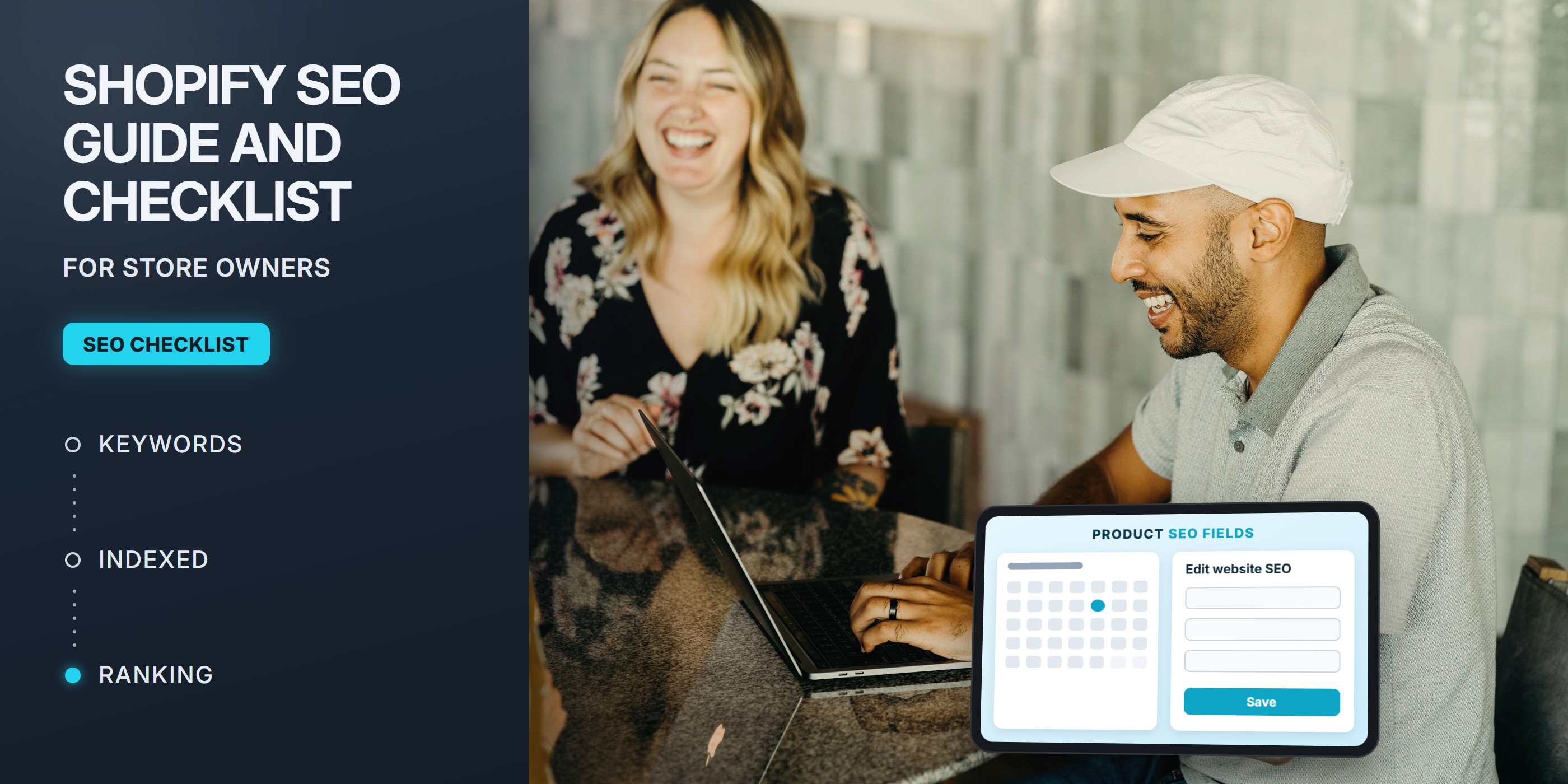
Every product, collection, page and blog post has its own search engine listing fields, reached by clicking Edit website SEO, and your home page has a pair under Online Store > Preferences. Shopify’s guidance fits in three lines.
- Title tag. The field takes up to 70 characters, but Shopify suggests 60 or fewer, with your most important keyword near the beginning.
- Meta description. Shopify recommends 160 characters, written as natural phrases rather than lists of keywords.
- H1 heading. Shopify builds the H1 from the title you give a product, collection, page or post, so the main keyword belongs in that title too.
Google adds a warning that suits stores. Its title link documentation calls out boilerplate titles, using the example of a commerce site that titles every page “Cheap products for sale”, which makes it impossible for users to tell two pages apart. A catalog of near-identical product titles is the same problem.
Expect some rewriting, since Shopify notes that Google can choose its own wording based on page content and other signals. Our guide to Shopify meta descriptions goes further on wording for each page type.
What should every Shopify product page include?
A product page ranks on its words, its images and the links pointing at it, and Shopify’s guidance covers all three.
Write your own description. Shopify warns against copying the text a manufacturer gives you, because that description might already be used on other websites, and it recommends at least 250 words of descriptive text per page. If a simple item doesn’t stretch that far, add what a buyer checks before ordering, such as sizing, materials and care.
Describe every image. Google calls alt text the most important attribute for image metadata and says it reads alt text along with computer vision and the page content to understand an image. In Shopify, open the product, click the image and choose Edit alt text. Describe what’s shown, as in Shopify’s example “Men’s waterproof hiking boots”, rather than stacking keywords. Rename files before you upload them too, since Google treats file names as a light clue and Shopify can’t rename them later.
Link sideways. Shopify’s overview suggests linking related pages, such as a winter coat product page that links to a collection of winter accessories. When you add links like that, use the plain product URL, because Google’s canonical documentation says to link to the canonical URL rather than a duplicate. Our guide to SEO for ecommerce product pages goes deeper on descriptions, variants and images.
How do you get a Shopify store indexed and track the results?
Nothing ranks until Google can reach it, and two settings block that by design. Search engines don’t index trial stores, and Google can’t read your sitemap while your store is password protected. Choose a plan and turn the password off first, then work through four steps.
- Verify the store in Google Search Console. Shopify’s instructions use the HTML tag method, where you paste Google’s verification tag into the head of your theme.liquid file.
- Submit sitemap.xml. Shopify generates it at the root of your domain, such as example.com/sitemap.xml, linking to separate sitemaps for products, collections, blogs and pages. It updates itself when you add content.
- Check what Google has. A site search for your domain shows whether your pages are indexed at all.
- Ask for a recrawl after big changes. Use the URL Inspection tool to request indexing for an important page, or resubmit your sitemap.
Expect a wait, since Shopify’s sitemap documentation says Google doesn’t guarantee how long crawling and indexing take. Our walkthrough of the Shopify sitemap covers the Search Console side in more detail.
Once pages are indexed, the Performance report in Search Console shows how search treats them, with clicks, impressions and click-through rate for each query and page. Google defines click-through rate as the click count divided by the impression count. Check the report monthly. A page with plenty of impressions but few clicks needs a sharper title and description, and a page whose clicks fall after a theme or app change needs a look at what changed.
Which duplicate URLs should you worry about?
Fewer than most audits suggest, because Shopify handles the common cases. The main one comes from collections. A theme can link to a product through the collection it sits in, which gives the same product a second address with the collection path in front. Shopify’s developer documentation flags this directly, noting that a standard product page and a product page in the context of a collection have the same content on separate URLs.
The automatic canonical tags are Shopify’s answer, and its default robots.txt file also blocks filtered collection pages, which Shopify says could otherwise create duplicate content issues. The extra product address still costs something, though. Google’s canonical documentation lists avoiding crawl time spent on duplicate pages as one reason to consolidate them. If your theme links products through collections, ask whoever maintains it to link the plain product URL instead.
The other case is pages you built on purpose but don’t want in search, such as a wholesale order form or a copy of a page made for an ad campaign. Add a seo.hidden metafield to the page, product or blog post and set its value to 1, and Shopify hides it from your sitemap, search engines and your store’s own search.
What happens to rankings when a URL changes?
A changed or deleted URL loses its rankings unless you redirect it, and Shopify’s SEO overview lists 301 redirects as routine work when you move or discontinue products. The easy case is a handle edit. When you change a page’s handle, Shopify gives you a preselected option to create a URL redirect from the old address to the new one, so leave it ticked.
Everything else goes through the URL redirects list in your admin, and a few rules apply.
- You can redirect only from a broken URL. If the old address still loads a page, the redirect won’t work.
- Fixed paths such as /products and /collections can’t be redirected.
- A store can hold up to 100,000 redirects, or up to 20 million on the Plus plan.
- For a large batch, Shopify’s help center suggests a third-party app.
Redirects matter most after a platform move. Shopify’s SEO FAQ lists missing redirects from a migrated website as one reason a store doesn’t appear in search. Map every old product and category URL to its new Shopify address before launch, not after the traffic drops. Our guide to Shopify 301 redirects goes into the detail.
How much does speed matter for Shopify store SEO?
Speed is part of Shopify store SEO because Google measures page experience with Core Web Vitals. Google’s guidance asks for Largest Contentful Paint within the first 2.5 seconds of loading, Interaction to Next Paint under 200 milliseconds and a Cumulative Layout Shift score under 0.1.
You don’t need an outside tool to see where you stand. Shopify’s web performance reports rate your store on all three from real visitor data, as Good, Moderate or Poor, and show how app installs, theme updates and new code moved your scores.
Shopify names the biggest factors in a store’s performance as your theme, the apps you’ve installed and any third-party code you’ve added, tag managers included. You control all three.
- Start from a fast theme. If you’re still choosing, our pick of the best Shopify themes compares the options.
- Audit apps and tags. Keep only those that earn back what they cost in speed.
- Paginate large collections. Shopify suggests pagination for collections with many products, so fewer load at once.
For crawl and speed problems on bigger catalogs, our guide to technical SEO for ecommerce goes deeper.
Do you need SEO apps on Shopify?
Not to start, because the built-in fields, which come with every Shopify plan, cover titles, descriptions, alt text and handles. Apps earn their place when a job is repetitive or beyond what the admin offers.
- Bulk edits. Rewriting titles, descriptions or alt text across thousands of products one at a time is slow, and an app can work in batches.
- Bulk redirects. Shopify’s own redirect documentation suggests an app for creating a large number of redirects.
- Audits. Shopify’s SEO overview points to apps in the Shopify App Store for analyzing your store’s SEO.
Every app has a cost beyond its price. Apps are one of the three factors Shopify names for slower stores, and Shopify’s SEO FAQ says a page missing its title tag is likely the result of custom code or an app. Install one app per job, check your title tags and structured data after each install, and remove anything you’ve stopped using. We compare the options in our list of the best Shopify SEO apps.
How does Shopify blog SEO work?
Shopify blog SEO works like SEO for any other page on your store, with one advantage. Every Shopify online store comes with a built-in blogging engine and a default blog called News, so your articles live on your own domain and can link straight to the products they support. Each post has its own title, meta description and URL handle, and its featured image takes alt text.
Use the blog for the informational searches your product pages can’t answer. Shopify’s SEO overview works through an example. A store whose product page isn’t ranking for “sustainable wool blankets” writes posts such as “How to style wool blankets in winter” and “The environmental benefits of sustainable wool”, then links those posts to its product pages. The posts reach long-tail searches, and the links point that relevance at the page that sells.
Three rules keep a store blog useful.
- Write to a question a buyer asks before purchase, not to news about your company.
- Give each post at least 500 words, which is Shopify’s recommendation for blog posts and informational pages.
- Link every post to at least one collection or product, and link back from that collection when the post answers a common question.
Does AI search change Shopify SEO?
Less than the noise around it suggests. Google’s documentation on AI features says there are no additional requirements to appear in AI Overviews or AI Mode and no special optimizations necessary. A page has to be indexed and eligible to show with a snippet, the same bar as an ordinary result. Google also says you don’t need new machine-readable files, AI text files or special schema to appear.
What Google does list is the fundamentals.
- Allow crawling in robots.txt and in any CDN or hosting layer.
- Make content easy to find through internal links.
- Make sure your structured data matches the visible text on the page.
- Keep your Merchant Center and Business Profile information up to date.
The structured data point is the one stores miss. Your theme outputs product markup from your product data, so apps that change prices, add review widgets or convert currency on the page can make the markup and the visible page disagree. Test one product URL after installing any app like that. Traffic from AI features is counted with your other web results in the Search Console Performance report.
How do you earn links to a Shopify store?
Links from other sites remain part of how search engines judge a store, and Shopify’s SEO overview puts natural links pointing to your store first in its list of ranking factors. It also admits the hard part. When you’re new to selling online, it takes time to build a reputation and get other sites to link to yours.
Shopify’s suggestions include these four.
- Public relations. Share launches and news with journalists and writers who cover your category.
- Listings. Get listed in local and industry directories relevant to your business.
- Guest posts and partnerships. Write for, or co-market with, complementary businesses.
- Product reviews. Send products to bloggers and creators whose audience matches yours.
Handle that last one with care. Google’s spam policies list sending someone a product in exchange for writing about it and including a link as link spam, unless the link is qualified with a nofollow or sponsored attribute, so ask reviewers to mark those links as sponsored. Shopify’s advice points the same way, quality over quantity, because low-quality links or attempts to game the system can hurt your SEO.
A Shopify SEO checklist in the order that pays
Most lists of SEO tips for Shopify sort tasks by category. This one runs in the order we would work through a new or neglected store, so each step builds on the one before it.
- Choose a paid plan and remove the storefront password.
- Verify the store in Google Search Console and submit sitemap.xml.
- Pull the queries you already appear for and map one keyword to each collection, product and post.
- Fix menus so every collection is linked and no page sits more than three clicks from home.
- Write unique titles of 60 characters or fewer and meta descriptions near 160, the lengths Shopify’s help center suggests, collections first, then best sellers.
- Replace manufacturer descriptions on your best sellers and add alt text to their images.
- Add at least 250 words of copy to each main collection.
- Hide pages that shouldn’t rank with the seo.hidden metafield, and redirect every URL you change or delete.
- Check Core Web Vitals in Shopify’s web performance reports, then remove unused apps and tags.
- Publish blog posts that answer pre-purchase questions and link each one to a collection.
- Earn links through press, listings and partnerships, and mark gifted-product links as sponsored.
- Recheck Search Console every month and rewrite pages with plenty of impressions but few clicks.
Where we would start on your store
If we had one week on a Shopify store, we would spend it on collections. They match the category searches that carry buying intent, many stores leave them as a bare product grid, and Shopify gives you every field you need to fix them without touching code. A well-written collection can rank for a whole category, while a product page usually ranks for one item.
We would leave robots.txt, canonical tags and structured data alone unless a test showed a problem, since Shopify already handles them and edits there carry the most risk.
A word on our stake. We sell SEO work for Shopify stores, so we gain when you decide not to do this yourself. Most of this Shopify SEO guide is work a careful owner can do in the admin. If you’d rather hand it over, or you’re facing a migration, a large catalog or theme code changes, our Shopify SEO services cover that work, and this checklist is a fair way to hold any provider to account, us included.
Frequently asked questions
Does Shopify do SEO?
Yes, in part. Shopify generates your sitemap and robots.txt file, adds canonical tags, builds title tags and serves every store over HTTPS, and its themes include product structured data. It doesn't choose your keywords, write your titles and descriptions, organize your collections or earn links for you. Treat the platform as a sound technical base and the ranking work as yours.
Is SEO free or paid?
Both, depending on who does the work. Doing it yourself costs time rather than money, because Shopify's built-in SEO fields come with your plan and Google Search Console is free. You start paying when you add apps for jobs the admin can't do in bulk, or when you hand the work to someone else. Most of the steps in this guide need only the admin and Search Console.
How to boost SEO on Shopify?
Start with the pages that sell. Give each collection and product a unique title of 60 characters or fewer, as Shopify's help center suggests, with its main keyword near the front, write your own descriptions instead of manufacturer text, and add alt text to every product image. Then submit your sitemap in Google Search Console, check Core Web Vitals in Shopify's web performance reports and remove apps you no longer use.
How can a beginner learn SEO for Shopify?
Begin with Shopify's help center, which covers keywords, titles, alt text, site structure, sitemaps and robots.txt in short articles, then read Google's SEO Starter Guide to learn how search works. Practice on your own store. Verify it in Google Search Console, watch which queries bring impressions, and rewrite one collection at a time so you can see what each change does.
Can I add a blog to my Shopify website?
Yes. Every Shopify online store comes with a built-in blogging engine and a default blog called News, and you can add more blogs from the blog posts area of your admin. Each post gets its own title, meta description and URL handle, and its featured image takes alt text, so you can optimize posts the same way you optimize products.
Do blogs actually help SEO?
Yes, when a post answers a question your product pages can't. Shopify's SEO overview uses that approach in its wool blankets example, where blog posts target related long-tail searches and link back to the product page that sells. A blog adds little when its posts are company news nobody searches for, so write to the questions buyers ask before they purchase.
How to improve SEO fast?
Fix what's already close to ranking. In Google Search Console, find pages with plenty of impressions but few clicks and rewrite their titles and meta descriptions. Then fix anything that blocks indexing, such as a password page or an unsubmitted sitemap. Shopify notes that changed titles can take a couple of weeks to show in search results, so judge each change after that, not the next day.
How to optimize an ecommerce product page for SEO?
Write your own description, give the page a unique title with its main keyword near the front, and describe every image in its alt text. Shopify's help center suggests titles of 60 characters or fewer and at least 250 words of descriptive text per page. Link the product from its collection and related blog posts, and keep price and stock accurate so the structured data matches the page.