In this article
- Shopify fills a blank SEO title with the product title, and its example theme code then adds your store name.
- Google sets no character limit for titles or meta descriptions and truncates both as needed to fit the device width.
- Google said in 2021 it used title elements 87% of the time, and a 2025 study found brand removal the top change.
- Shopify's product CSV has SEO title and SEO description columns, the documented way to bulk edit product listings.
- Put the searched words first in product and collection titles, because a title too wide for the screen loses its end.
Your Shopify title and meta description are the two lines a shopper reads about your page in Google before deciding whether to click. Every product, collection, page and blog post has its own pair in a Search engine listing section, your homepage has one under Online Store > Preferences, and anything you leave blank falls back to defaults that rarely sell the page.
Getting them right is cheap and it compounds, because the same few templates cover hundreds of pages. Getting them wrong costs clicks you already earned the ranking for. This guide covers the Shopify title and meta description for each page type, the limits Shopify and Google actually state, and what Google rewrites anyway. For the wider list of store fixes, see our Shopify SEO checklist.
Which Shopify fields control the title and meta description?
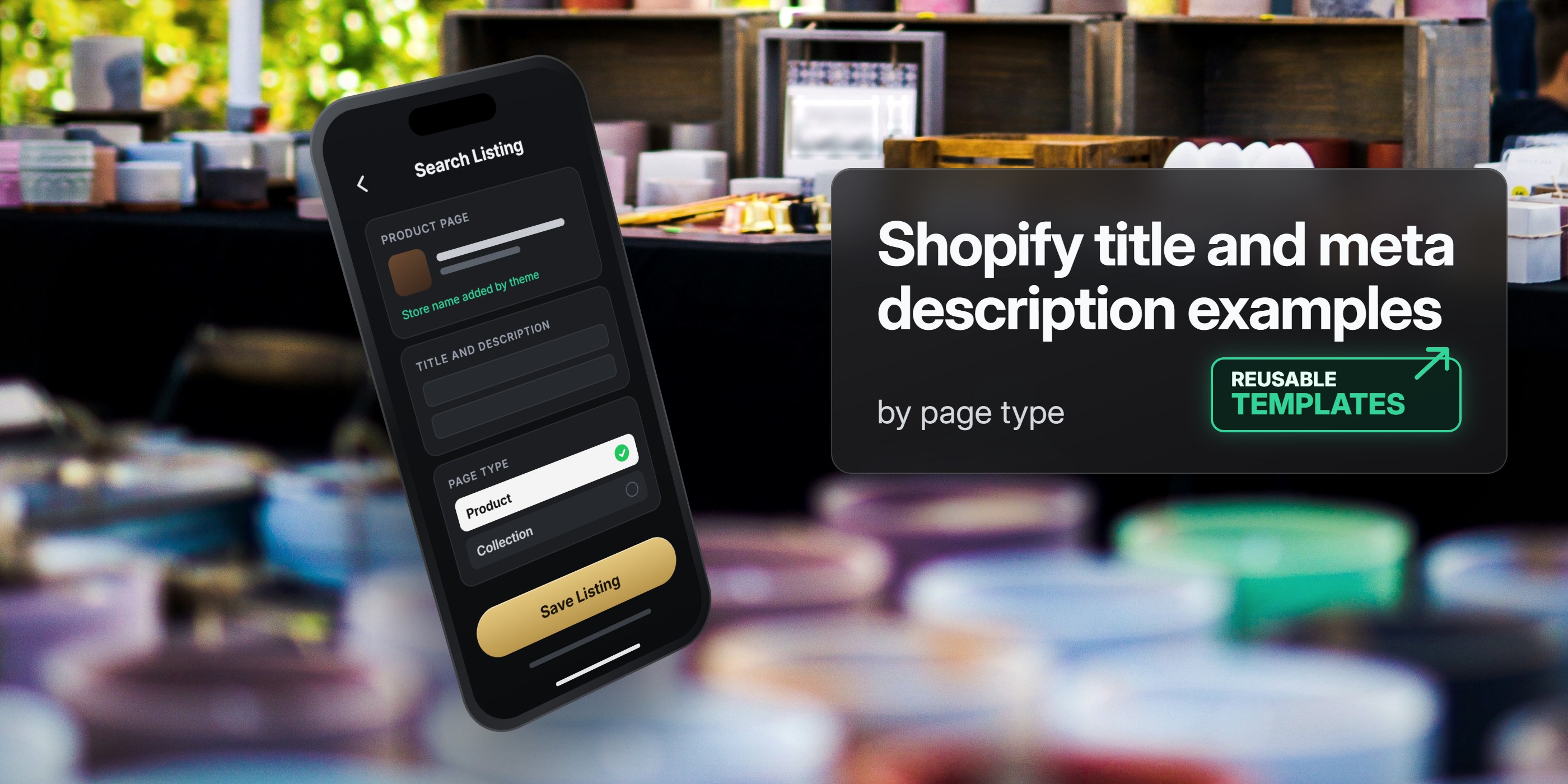
Three fields matter, and each does a different job. The product title is the name on the page itself. The page title in the Search engine listing section becomes the title tag that search engines show as the clickable headline. The description in that same section becomes the meta description, the text that can appear under the headline.
Shopify’s theme documentation shows how they connect. A theme outputs the title tag from a value called page_title and the meta description from page_description, and Shopify’s notes say the title and description for most pages can be set in the admin. Shopify’s product import guide adds the fallback. If you leave the SEO title blank, the product title is used as the search engine listing title.
One more piece sits in the theme rather than the admin. Shopify’s example theme code adds a dash and your store name after the page title unless the title already contains the store name, and it adds a page number on the second and later pages of a collection. So the title you type is often not the whole title Google sees. View the source of any product page and look at the title tag to see exactly what your theme adds.
How long should a Shopify title and meta description be?
Shopify gives you character numbers, and its own help pages don’t all use the same ones. Google doesn’t give a character number at all.
| Source | Title | Meta description |
|---|---|---|
| Shopify SEO keywords guide | Up to 70 characters in the field, 60 or fewer suggested | 160 characters recommended |
| Shopify pages guide | Text past 70 characters might get cut off | Text past 160 characters might get cut off |
| Shopify product and blog post guides | Text past 70 characters might get cut off | Text past 320 characters might get cut off |
| Google title link and snippet documentation | No limit, truncated as needed to fit the device width | No limit, truncated as needed to fit the device width |
Google’s wording is the one to plan around. Its title link documentation says there’s no limit on how long a title element can be, but the title link is truncated as needed, typically to fit the device width. Its snippet documentation says the same about meta descriptions. That makes the real limit the width of the screen, not a count of characters. A title full of wide capitals runs out of room sooner than one with narrow lowercase letters, and a phone screen shows less than a desktop.
So write to Shopify’s lower numbers and put the words that matter first. Aim for a title of 60 characters or fewer including the store name your theme adds, with the product or category name at the start, and a meta description of 160 characters or fewer whose first sentence works on its own if the rest is cut.
What does Google rewrite, and why?
Google treats both fields as suggestions. Its title link documentation says the title shown in results is generated automatically from several sources, including the title element, the main visual title on the page, headings, Open Graph title tags, anchor text and text in links pointing at the page. It names the problems that make it look past your title element.
- Half-empty titles, where part of the text is missing, such as a title that holds only the site name.
- Obsolete titles that carry an old date the page has moved past.
- Inaccurate titles that don’t reflect what the page is about.
- Micro-boilerplate, where a group of pages shares the same title and nothing tells them apart.
- No clear main title, when several headings carry the same visual weight.
How often your title survives depends on who’s counting. In September 2021, Google said its titles used the title element around 87% of the time, up from around 80% before it adjusted the system after feedback. In a study published in April 2025, John McAlpin counted Google changing 76.04% of the title tags he tracked, and the most common change, in 63.0% of the changed titles, was removing the brand name. On a Shopify store that’s usually the store name your theme adds, so a cut there costs little as long as the words in front of it describe the page.
Meta descriptions start from a weaker position. Google’s snippet documentation says it primarily uses the content on the page to create the snippet and uses the meta description when it describes the page better than other parts of the content. When Ahrefs compared hardcoded meta descriptions with Google’s desktop snippets for 20,000 keywords in 2020, Google had rewritten them 62.78% of the time. Write the description for the search you most want, and accept that long-tail searches will often get a snippet pulled from your page copy instead.
How do you write a Shopify homepage title?
Your Shopify homepage title is set in Online Store > Preferences, not in the theme editor, and it’s the one title where your brand should come first. Google’s title link guidance calls out “Home” as a vague title to avoid and says your home page is a reasonable place to include some additional information about your site.
The homepage title also feeds your site name. Google’s site name documentation says its system considers the title, headings, the Open Graph site name tag and other text on a home page, and it asks you to use your site name consistently across your home page. If your logo says one name and your title tag says another, Google has to guess.
A reliable homepage pattern is your store name followed by the main thing you sell and, if it matters to buyers, where or how.
- Store Name – Handmade Soy Candles and Wax Melts
- Store Name – Women’s Running Shoes and Apparel
- Store Name – Organic Dog Treats, Made in Small Batches
Keep the category phrase to the words people actually search, the same ones you would use to name your main collection. If you’re not sure which words those are, settle it with ecommerce keyword research before you write the title.
What makes a good Shopify homepage meta description?
Your Shopify homepage meta description sits beside the title in Online Store > Preferences, and it has a different job from a product description. Google’s snippet documentation suggests site-level descriptions for the home page and page-level descriptions everywhere else, so this is the one description that should speak for the whole store. It should confirm who you are and give a reason to pick you over the store listed below.
Build it from three parts in this order.
- What you sell, in the words of your main category.
- The proof or difference a buyer cares about, such as materials, sizing range or where it’s made.
- One concrete offer you can stand behind, such as your shipping or returns policy.
For a candle store, that might read “Hand-poured soy candles and wax melts in 30 scents, made in small batches. Free shipping on US orders over $50 and easy 30-day returns.” Only promise what your policies say. Google’s snippet guidance asks for descriptions that accurately describe the specific page, and a promise your checkout doesn’t keep costs more than the click was worth.
How should you title product pages?
Start with what the shopper would type, then add the one detail that separates this product from the next result. Shopify’s own title tips follow the same pattern. Its examples turn “Star Wars” into “Star Wars Button Down Shirts”, expand “Sectional Sofas” into “Modular Sectional Sofas & Couches” to cover related searches, and change “Body Butter” to “Body Butter – Natural & Cruelty Free” to highlight a feature.
A template that works across most catalogs is product type, then the attribute buyers filter on, then a differentiator.
- Men’s Merino Wool Hiking Socks, Cushioned Crew
- Cast Iron Skillet, 12 Inch, Pre-Seasoned
- Lavender Soy Candle, 8 oz Tin, 40-Hour Burn
Keep the brand out unless people search for it, since Shopify’s example theme code adds your store name anyway. Don’t use the SEO title to stuff in variants. Google’s guidance warns against repeating the same words and against keyword stuffing, so pick the attribute most buyers search for. Our notes on product page SEO fields go through the rest of the page.
What should a product meta description say?
A product meta description should answer the three questions a shopper has before clicking. What is it, why this one, and what happens if they buy. Google’s snippet documentation suggests the meta description is a good place to bring together specific facts about a page that would otherwise be scattered across it, and product details are exactly that kind of information.
A workable template is product and key benefit, then two or three specifics, then a buying reason.
- “Cushioned merino crew socks that stay dry on long hikes. Sizes S to XL, reinforced heel and toe. Free exchanges on every order.”
- “A 12-inch cast iron skillet, pre-seasoned and ready for the stove, oven or grill. Ships in two business days.”
If you leave the field empty, whatever shows comes from your page copy, and Google builds snippets from page content for many searches anyway. So the opening lines of the product description carry a lot of weight, and a description that opens with a sales sentence stands in better than one that opens with care instructions. That’s one more reason to write product descriptions that lead with the point.
Should your SEO title match the product name?
Not word for word, but both should describe the same thing. Shopify uses the title you give a product to generate the H1 heading on the page, while the page title in the Search engine listing section becomes the title tag. The two can differ, and often should. A product name that suits your brand, such as “The Wanderer”, tells a searcher nothing, so the SEO title can carry the searched words instead, as in “The Wanderer Men’s Merino Hiking Socks”.
Keep them close enough that Google sees one page, not two. Its title link documentation says it looks at the main visual title and heading elements when it decides what to show, and that it may modify the title link if the title element doesn’t reflect the page content. An SEO title promising waterproof boots on a page whose heading says trail runner invites exactly that rewrite.
A quick test is to read the SEO title and the heading together. If a shopper arriving from the result would recognize the page as the one they clicked, the pair works. If they would wonder whether they landed in the right place, bring the title back toward the product.
How do you write titles and descriptions for collection pages?
Collections are the pages that match category searches, so their titles deserve more care than they usually get. Use the plural category phrase people search, add the attribute that narrows it, and leave out words like “collection” or “shop all” that nobody types.
- Title, “Women’s Trail Running Shoes, Wide and Regular Fit”
- Description, “Trail running shoes for women in wide and regular fits, from cushioned long-distance pairs to light race shoes. Compare grip, drop and weight, with free returns.”
Watch the pages your theme creates on its own. Shopify’s example theme code adds the tag names to the title of a tag-filtered collection and a page number to the second and later pages, which keeps those titles distinct without any work from you. The risk sits in collections you created by hand that differ by one word, such as two seasonal collections with near-identical titles, which is the micro-boilerplate pattern Google says it rewrites. Our guide to category page SEO covers the copy on the page itself.
How do you handle blog posts and regular pages?
Blog posts and pages such as About, FAQ or Shipping each have the same Search engine listing section as products. On a blog post, write the title for the question the reader typed rather than the clever headline on the page. “How to Clean a Cast Iron Skillet Without Ruining the Seasoning” tells a searcher far more than “Skillet Love, Part 2”, even if the second suits your blog.
For pages, keep titles literal and include the brand, because people search for them by name. “Shipping and Returns Policy – Store Name” is the right title for a policy page. Shopify’s page editor offers to create a redirect if you change a page’s URL handle, so you can rewrite a title without touching the address. Shopify’s product guide also warns that editing a product’s handle too often might keep the product out of search results, so change titles freely and handles rarely. If you do change addresses, our notes on Shopify URL redirects cover what to check.
Descriptions for both follow the product rule. Say what the page answers in the first sentence and add one specific detail in the second. A shipping page description that names your delivery times and return window answers the search before the click and sends the right people through.
What does a Shopify meta description example look like for each page type?
These title and meta description Shopify examples use a made-up candle store so you can see one voice across every page type. Swap in your own products, numbers and policies, and only claim what is true for your store.
| Page type | Title | Meta description |
|---|---|---|
| Homepage | Store Name – Hand-Poured Soy Candles | Hand-poured soy candles and wax melts in 30 scents, made in small batches. Free US shipping over $50 and 30-day returns. |
| Collection | Soy Candles in Tins, Travel and Gift Sizes | Soy candles in tins from 4 to 8 oz, with burn times up to 40 hours. Mix scents for gifts and save on bundles of three. |
| Product | Lavender Soy Candle, 8 oz Tin, 40-Hour Burn | Calming lavender soy candle in an 8 oz tin with a cotton wick and a 40-hour burn. Ships in two business days. |
| Blog post | How to Make a Soy Candle Burn Evenly | Tunneling wastes wax. Learn how long the first burn should last, when to trim the wick and how to fix a candle that has already tunneled. |
| Page | Shipping and Returns – Store Name | Orders ship in two business days from our US workshop. Free shipping over $50 and 30-day returns on unused candles. |
Notice what repeats and what doesn’t. The structure stays the same on every product, but the words change with the product, which is what keeps a catalog clear of the boilerplate Google rewrites. And every description ends with something a shopper can act on, whether that’s a shipping promise, a bundle or a fix.
How do you bulk edit titles and meta descriptions?
For products, the documented route is a CSV file. Shopify’s product import format has an SEO title column, which accepts up to 70 characters and falls back to the product title when blank, and an SEO description column, which accepts up to 320 characters. Export your products, fill those two columns in a spreadsheet using your templates, and import the file with the option to overwrite products with matching handles.
Google is fine with this. Its snippet documentation says hand-written descriptions can be impossible for large database-driven sites and that programmatic generation is appropriate and encouraged there, as long as the results are human-readable and diverse. Build each template from fields that genuinely differ between products, such as type, material, size and a key benefit, so that no two rows come out the same.
Work on a copy, and import a handful of rows first. A CSV import changes every product it matches, so a formula that breaks on one row can blank or garble titles across the catalog. Check a few products in the admin and in the page source before you import the rest.
Shopify’s bulk editor covers products and collections, but its help page notes that bulk editing for blog posts and pages is no longer available, and it points to third-party apps for those. That’s where apps earn their place, alongside generating titles from templates across thousands of products. We compare the options in our list of the best Shopify SEO apps. Whatever tool writes the fields, read a sample of what it produced before you publish it across the store.
How do you find missing and duplicate titles?
Start with a file you can make in a minute. Export your products to CSV and look down the SEO title and SEO description columns. Shopify’s CSV guide says that when the SEO title is blank, the product title is used as the search engine listing title, so every empty cell is a product still running on its default. Sort the SEO title column and identical neighbors show you the duplicates.
A field can be filled and still not reach the page, because the tags only exist in your theme’s code. Open a product in your browser, view the page source and search for the title tag and the meta description tag in the head section. If either one is missing, appears twice or carries text you never typed, look at recent theme edits and installed apps, since Shopify’s theme documentation shows that both tags come from the theme’s own code.
On a larger store, a site crawler that lists every title and description also covers the collections, pages and blog posts the product CSV leaves out. Fix duplicates first, since identical titles across a group of pages are the micro-boilerplate Google says it rewrites, and they’re among the easiest fixes on the list.
What we would fix first
If we had an afternoon on a Shopify store, we would write the homepage title and description, then the ten collections with the most impressions in Search Console, then the products that already rank on page one but get few clicks. That order follows the traffic. Templates for the long tail of products come after, through a tested CSV import.
We would leave the store name to the theme, write every product and collection title to 60 characters or fewer with the searched words first, and judge changes after a few weeks rather than the next day. Shopify notes that edits can take a couple of weeks to appear in search results, and Google says it has to recrawl a page before it notices a new title.
Most of this is work you can do yourself in an afternoon a week. We sell SEO work for Shopify stores, so weigh that when we say the rest is where help pays off. If your catalog runs to thousands of products, or titles keep getting rewritten and you can’t see why, a Shopify SEO consultant can build the templates and run the import with you.
Frequently asked questions
What is the meta description in Shopify?
It's the short summary you enter in the Description field of a page's Search engine listing section in your Shopify admin. Your theme outputs it as the meta description tag in the page's code, and Google may show it under your title in search results. Shopify recommends about 160 characters, and Google may swap in text from the page when that matches a search better.
How to change SEO on Shopify?
Open the product, collection, page or blog post in your Shopify admin and edit its Search engine listing section, where you can change the page title, the description and the URL handle. For the homepage, go to Online Store > Preferences. Save, then give Google time to recrawl, since Shopify notes that changes can take a couple of weeks to show in search results.
What is meant by meta title?
A meta title is the title tag in a page's code, the text search engines usually show as the clickable headline of a result. In Shopify it comes from the page title field in the Search engine listing section, or, for a product, from the product title when that field is blank. Google may still choose other text from the page if the title doesn't describe it well.
Can you give me an example of a page title?
Yes. For a product, "Lavender Soy Candle, 8 oz Tin, 40-Hour Burn" names the item, the size buyers filter on and a reason to choose it. For a collection, "Women's Trail Running Shoes, Wide and Regular Fit" uses the plural category phrase people search. Both put the searched words first and leave the store name for the theme to add.
What is an example of a meta description?
For a product page, "Calming lavender soy candle in an 8 oz tin with a cotton wick and a 40-hour burn. Ships in two business days." It says what the product is, adds two specifics and ends with a reason to buy now. A good description reads like a short ad for that one page, not a list of keywords.
How do I add a meta tag to Shopify?
For titles and descriptions you don't need to, because Shopify themes already output both tags from each page's Search engine listing fields. For another tag, such as a Google site verification tag, go to Online Store > Themes, choose Edit code on your theme, open theme.liquid in the Layout section and paste the tag on a blank line directly below the opening head tag, then save.
How to write a good meta title and description?
Lead the title with the words people search, keep it to about 60 characters including your store name, and make it unique to that page. Open the description with what the page offers, add one or two specifics and end with a reason to click, in 160 characters or fewer.
What is a home page title?
It's the title tag of your store's front page, the headline Google usually shows for your homepage in search results. Google's guidance says to avoid vague titles such as "Home" and notes that the home page is a reasonable place to include some extra information about your site. In Shopify you set it in Online Store > Preferences.