In this article
- Shopify Subscriptions is free, and the other apps' cheapest paid plans ran from $5.95 a month at Seal to $599 at Skio.
- Seal and Appstle charge only flat fees, while Recharge, Loop, Bold, Stay AI and Skio also take a share of each transaction.
- For an illustrative store billing $16,000 a month in renewals, the app bill ranged from $0 to $839 a month.
- Every Shopify app here runs through Shopify's checkout, and subscriptions work only on five supported payment gateways.
- Switching apps on one Shopify store keeps saved cards, but changing store platforms can force subscribers to enter cards again.
The right ecommerce subscription platform for most online stores is an app that runs inside the store platform you already use, priced so its fees don’t outgrow your margin. On Shopify, that means choosing among Shopify’s free Subscriptions app, flat-fee apps such as Seal and Appstle, and apps that take a share of each renewal, such as Recharge, Loop and Skio.
Pick wrong and you pay for it twice. A percentage fee grows with every renewal you process, and moving subscribers later means moving their saved cards, which some switches can’t do without asking customers to enter them again. This comparison sets out each option’s pricing basis, lowest paid plan, checkout, migration support and best fit. If you’re still deciding what to sell on repeat, start with our guide to ecommerce subscription models. We build Shopify stores for clients, so we have a stake in which platform you choose.
What does an ecommerce subscription platform actually do?
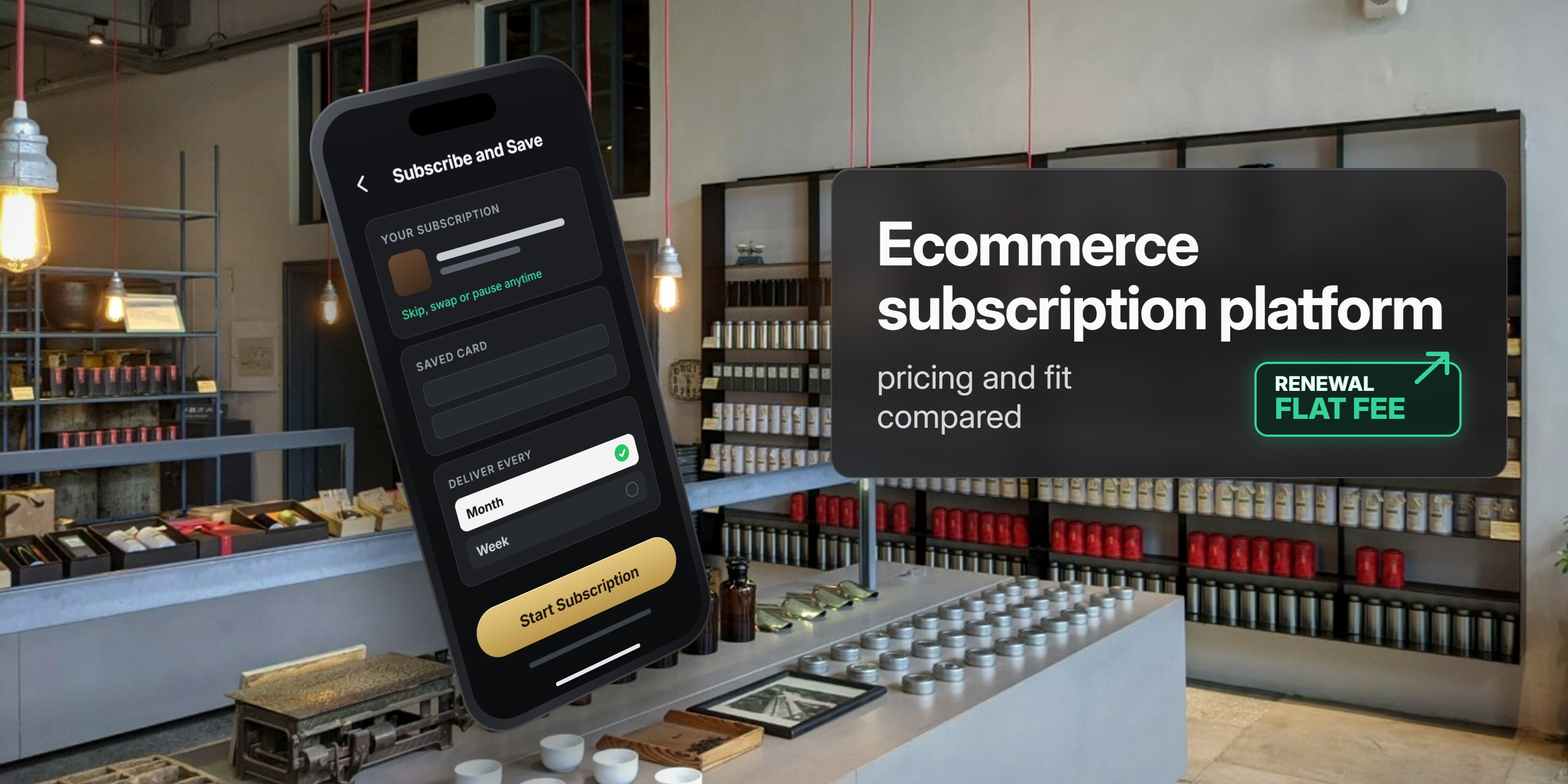
An ecommerce subscription platform keeps a record of each customer’s agreement to be charged on a schedule, charges the saved payment method when an order falls due, and creates the order your team ships. Around that core sit the parts your customers see. There’s the subscribe option on the product page, a portal where they skip, swap, pause or cancel, and the emails that confirm each renewal.
On Shopify, the platform is an app working alongside Shopify itself. Shopify’s help center says that to see subscription information in your admin, “you must be using a subscription app from the Shopify App Store, such as the free first-party Shopify Subscriptions app.” The app holds the schedule and the retention tools. Shopify stores the card and runs the checkout, and its help center says “Customer payment information is stored securely by Shopify.”
WooCommerce splits the work differently. Woo’s product page says subscriptions made with its Subscriptions extension “are created and managed on your own site, not inside your payment gateway,” so the billing schedule lives in your WordPress dashboard. That split between app, store platform and processor decides who takes the payment, whose checkout your customer sees and how hard it is to leave.
How do the main subscription apps compare side by side?
Each row below comes from the vendor’s own App Store listing, pricing page or product page. App Store listings bill in US dollars every 30 days, and the fees sit on top of your Shopify plan and card processing. BigCommerce has no row because it adds subscriptions through apps, covered further down.
| Platform | Pricing basis | Lowest paid plan | Checkout | Migration support | Suits |
|---|---|---|---|---|---|
| Shopify Subscriptions | Free app | None, the app is free | Shopify checkout | Imports contracts from other apps by CSV | A simple replenishment program |
| Seal Subscriptions | Monthly fee by number of subscriptions, 0% transaction fee | $5.95 a month for up to 100 subscriptions | Shopify checkout | Self-serve import by CSV, API or one at a time | Fewer, higher-value subscriptions |
| Appstle Subscriptions | Monthly fee by subscription revenue, 0% transaction fee | $10 a month for up to $5,000 a month in subscription revenue | Shopify checkout | Hands-on migration on every plan | Many low-price subscriptions |
| Bold Subscriptions | Monthly fee plus a percentage per transaction | $24.99 a month plus 2% | Shopify checkout | Complimentary white-glove migration | Unlimited subscribers and prepaid plans |
| Recharge | Monthly fee plus a percentage and a fixed fee per transaction | $25 a month, with Recharge’s per-transaction fee waived for the first 50 subscribers | Shopify checkout | Hands-on implementation on the Plus plan | Established brands that need integrations |
| Loop Subscriptions | Monthly fee plus a percentage per transaction | $99 a month plus 1.0%, after a free plan for 50 active subscriptions | Shopify checkout | Free white-glove migration | Growing brands that want retention tools |
| Stay AI | Monthly fee plus a percentage and a fixed fee per transaction | $499 a month plus 1% and 19 cents | Shopify checkout | One-to-one migration and onboarding | Large programs focused on churn |
| Skio | Monthly fee plus a percentage and a fixed fee per transaction | $599 a month billed monthly, plus 1% and 20 cents | Shopify checkout | Comprehensive, zero-downtime migration | Brands switching from another app |
| WooCommerce Subscriptions | Yearly extension license | $279 a year for the one-year plan | Your own WooCommerce checkout, with 25+ gateways for automatic renewals | A migration guide for existing subscribers | WordPress stores |
Three pricing models run through the table. Shopify Subscriptions charges nothing. Seal and Appstle charge a flat monthly fee that steps up with your program’s size, Seal by the number of subscriptions and Appstle by monthly subscription revenue, and neither takes a percentage or per-order fee of its own. Bold, Recharge, Loop, Stay AI and Skio add a percentage of each transaction to a monthly fee, so their cost rises with every renewal you bill.
Why does a percentage fee matter more than the monthly fee?
A monthly fee stays put while a percentage fee grows with your program, so the cheapest app at launch isn’t always the cheapest at scale. Take an illustrative store with 400 subscribers, each renewing once a month at $40. That’s $16,000 a month in subscription revenue across 400 renewal charges, and each app’s listed rates give a different bill.
| App | Cheapest listed plan at this volume | App cost a month |
|---|---|---|
| Shopify Subscriptions | Free app | $0 |
| Seal | Legend, $24.95 for up to 500 subscriptions, 0% transaction fee | $24.95 |
| Appstle | Business Premium, $100 for up to $100,000 a month in subscription revenue | $100 |
| Bold | Grow, $49.99 plus 1% | $209.99 |
| Loop | Starter, $99 plus 1.0% | $259 |
| Recharge | Starter, $99 plus 1.49% and 19 cents a transaction | $413.40 |
| Stay AI | Pro, $499 plus 1% and 19 cents a transaction | $735 |
| Skio | Scale, $599 billed monthly plus 1% and 20 cents a transaction | $839 |
The example assumes each renewal is one transaction and leaves out card processing, which you pay whichever app you choose. With 400 subscribers, the store is also well past the 50 subscribers that Recharge’s $25 plan covers, so the table uses Starter.
Notice the Appstle row. At $16,000 the store has passed the $15,000 ceiling on Appstle’s $30 Business plan, so it pays $100. Revenue bands and subscriber caps jump in steps, so check where your program sits against the next ceiling up, not just today’s number.
None of this makes the percentage apps a bad deal. Their plans bundle retention tools, onboarding help and integrations that can keep more subscribers paying than the fee costs.
Which checkout does each subscription platform use?
Every Shopify app in this comparison uses Shopify’s own checkout. Each App Store listing says it “Works with Checkout,” and the subscription is sold through Shopify’s checkout and charged to a card Shopify stores. That’s why the processor matters more than the app. Shopify’s help center says “To use third-party subscription apps, your store must use one of the following payment gateways,” and lists Shopify Payments, PayPal Express, Authorize.net, Adyen and Stripe.
Those gateways aren’t equal. Shopify Payments gets automatic card updates, which Shopify says “reduce payment failures or declines, especially when customers receive new cards.” With PayPal Express, “Third-party transaction fees are charged if Shopify Payments isn’t activated on your store.” Authorize.net offers PayPal as its only wallet, and Shopify notes that “Apple Pay support for subscriptions is limited to Visa and Mastercard.”
Off Shopify, the checkout is the store platform’s own. WooCommerce Subscriptions sells through your WooCommerce checkout and charges renewals through whichever supported gateway you connect, and Woo names “WooPayments, Stripe, PayPal, and more.” On BigCommerce, the app you install decides the flow, so ask each vendor whether subscribers pay in BigCommerce’s checkout or in one the app hosts.
Shopify subscription services, starting with the free app
The cheapest of the Shopify subscription services is Shopify’s own. The Shopify Subscriptions app was listed as free, built by Shopify, with a 3.7 rating from 856 reviews, the lowest rating of any app here. Its listing says you can “Offer auto-billed subscriptions (renew weekly, monthly or yearly) with discounts” and “Allow your customers to cancel, skip, or pause subscriptions.” It also sells subscription products on Shopify POS, so in-store customers can sign up too.
The free app covers a simple replenishment program, one product or a few, shipped on a fixed schedule at a discount. Its limits show up once you want more. Shopify’s help center states that “Bundles aren’t compatible with the Shopify Subscriptions app,” so build-a-box offers need another app. The listing’s feature list names no cancellation flow, failed-payment recovery or loyalty program, which are the tools the paid apps lead with.
Remember the platform under it. The app costs nothing, but your Shopify plan doesn’t. Shopify’s monthly prices were $39 for Basic, $105 for Grow and $399 for Advanced, and yearly billing costs less. For the full bill, including card rates, see our breakdown of Shopify’s plans and fees.
Recharge and Skio, one owner at two price points
Recharge’s listing shows it launched on October 14, 2014, and it had a 4.8 rating from 3,120 reviews. Its lowest paid plan is $25 a month, and Recharge waives its per-transaction fee for your first 50 subscribers. Above it, Starter costs $99 a month plus “1.49% + 19¢ per transaction,” and Plus costs $499 a month plus 1.34% and 19 cents, with hands-on implementation and loyalty and referral tools. The listing notes that “External charges may be billed by Recharge separately from your Shopify invoice,” so check your statement as well as your Shopify bill.
Skio now belongs to Recharge. On April 30, 2026, TechCrunch reported that Skio “has been acquired by competitor Recharge,” and Recharge’s announcement said “Both Recharge and Skio will continue to operate as they have.” Skio’s pricing showed one plan, Scale, at $599 a month billed monthly or $5,988 a year, plus a “1% + 20¢ transaction fee,” which its pricing page says applies to “orders involving a subscription.” Its listing had a 5.0 rating from 227 reviews.
Recharge suits an established brand that needs its subscriptions wired into tools such as Klaviyo, Gorgias and Shopify Flow, all named on its listing, and its $25 plan lets a new program start small. Skio aims at brands switching from another app. Its pricing page promises “Comprehensive Migration” and “Lower rates for brands moving massive subscription volume.” With one owner, the two may change, and Recharge’s press release said “Additional details on Recharge and Skio’s joint offerings will be shared in the coming months,” so read the current terms before you sign.
Loop and Stay AI, for programs that need retention tools
Loop’s free plan covers 50 active subscriptions. Starter costs $99 a month plus “1.0% + 0¢ per transaction,” so there’s no fixed charge on each order, and it lists “Smart dunning management with 15 retries” and “Personalized cancellation flows & offers.” Pro costs $399 a month plus 0.75%, adding “Dedicated CSM and 24×7 slack support” and “Flexible prepaid and gift subscriptions.” Loop was rated 5.0 on the App Store.
Stay AI’s pricing page showed one priced plan, Pro, at $499 a month plus 1% and 19 cents per transaction, with “Custom pricing” for Enterprise. Its App Store listing carried the same rates, a 30-day free trial and a 4.9 rating from 143 reviews. The pricing page says every feature comes on every plan, including one-to-one migration and onboarding with its team, and the listing leads with retention, naming a “RetentionEngine” to “forecast subscription revenue & prevent churn.”
Loop suits a growing brand that wants cancellation flows and payment retries without a $499 floor, and its free plan lets you test the portal before you pay. Stay AI suits a brand with a program already big enough that a small gain in retention repays the monthly fee.
Seal and Appstle, the flat-fee options
Seal and Appstle take no percentage or per-order fee of their own, which made them the cheapest paid apps in the worked example above. Seal prices by how many subscriptions you run. Its free plan covers 50, the $5.95 Supersale plan covers up to 100, Rising Star covers 250 for $9.95 and Legend covers 500 for $24.95, with “Bigger plans up to 150k+ subs available.” Every plan lists a “0% transaction fee,” and Seal had a 4.9 rating from 3,138 reviews.
Appstle prices by revenue. Its free plan covers “Upto $500 in subscriptions per month,” Starter costs $10 a month for up to $5,000, Business costs $30 for up to $15,000 and Business Premium costs $100 for up to $100,000 a month. Larger stores contact Appstle for enterprise pricing. Appstle had the most reviews of any app here, 8,997 at a 5.0 rating, and its free plan already includes “Hands-on Migration.”
Choose Seal if you have few subscribers paying a lot each, because its caps count subscriptions, not dollars. Appstle fits many low-price subscriptions better, because its bands count revenue. Either way, a $10 or $25 bill leaves room in your margin that a percentage fee would take.
Bold Subscriptions, a low monthly fee with a bigger cut
Bold’s listing read “From $24.99/month,” the lowest monthly fee of the percentage apps here, but its cheapest plan takes the largest share. Launch costs $24.99 a month “+2% transaction fee,” Grow costs $49.99 plus 1%, and Scale costs $74.99 plus 0.9%. Launch lists “Unlimited subscribers,” prepaid subscriptions and dunning, the higher plans include everything in Launch, and the listing offers “Complimentary white-glove migration from other subscription apps.” Bold had a 4.0 rating from 376 reviews.
Run the illustrative store through Bold and the plan order flips. At $16,000 a month, Launch costs $24.99 plus $320, or $344.99. Grow costs $49.99 plus $160, or $209.99, which is less. The 2% plan only wins while your subscription revenue stays under $2,500 a month, the point where Grow’s extra $25 equals the 1% it saves.
Bold suits a store that wants unlimited subscribers, prepaid plans and a migration team at a modest fixed cost, as long as you pick the plan by your revenue rather than by the sticker price. Its listing also names PayPal Express and Authorize.net among the tools it works with, which matters if your store doesn’t run Shopify Payments.
Which subscription based ecommerce platform fits WooCommerce or BigCommerce?
If your store runs on WordPress, the subscription based ecommerce platform to start with is WooCommerce Subscriptions, Woo’s own extension, whose product page showed more than 100,000 active installs. Woo calls it “a paid annual extension with a 30-day money-back guarantee,” and its one-year plan cost $279. Renewals charge automatically through “over 25 payment gateways,” and if you prefer manual renewals, customers “automatically receive an invoice when payment is due.”
Because the subscriptions live on your own site, you own the upkeep too. Hosting, plugin updates and scheduled tasks decide whether each renewal runs on time, which is work a hosted platform does for you. If you need features the extension lacks, Woo’s marketplace lists add-ons built for it, such as Enhancer for WooCommerce Subscriptions.
On BigCommerce, subscriptions come from its app marketplace. BigCommerce’s own guide to subscriptions tells you to “Choose from a selection of recurring billing and subscription plugins to help you manage subscriptions for your storefront.” Recharge, for one, documents a BigCommerce integration that “lets you offer subscriptions and recurring billing products on your store.” Price each one the way you’d price a Shopify app, monthly fee plus any percentage at your real volume.
If subscription apps are what draw you to Shopify, weigh the whole platform first. Our look at the pros and cons of Shopify and our comparison of how BigCommerce compares with Shopify cover the trade-offs beyond subscriptions.
Can these apps sell digital memberships?
Several can bill for one, but billing is only half of a membership. The other half is access control, deciding which pages, prices or files a paying member can reach and locking them again when the payment stops. A subscription app handles the charge. Whether it also handles the lock depends on the app.
Recharge and Stay AI both tick “Access subscriptions” and “Memberships” among their subscription types. Seal’s listing says it gives you control over “memberships, digital access and cancellations.” Shopify Subscriptions and Bold list digital products as a subscription type, which covers a recurring charge for something you deliver, not a members-only area. On WooCommerce, Woo’s own page splits the job between two extensions, saying “WooCommerce Memberships handles access control” while Subscriptions manages the payments.
Before you choose, write down what a member gets that a visitor doesn’t, then ask each app’s support team how it gates that exact thing. If what you sell is a download, a course or a template rather than a club, our guide to setting up a Shopify digital store is the better place to start.
How hard is it to move subscribers to another app?
Between apps on the same Shopify store, it’s mostly a data job, because the saved cards stay with Shopify while the subscription records move. Shopify’s help center says you can use a CSV file “to import contracts from a third-party subscriptions app into the Shopify Subscriptions app.” The paid apps sell migration as a feature, and the wording shows how much help you get.
- Loop advertises “Free White-Glove Migration” that moves “payment tokens” along with subscriptions, and says many migrations “wrap up within a few weeks of planning and testing.”
- Appstle lists “Hands-on Migration” on its free plan, and every paid plan includes the free plan’s features.
- Bold offers “Complimentary white-glove migration from other subscription apps.”
- Skio promises “Comprehensive Migration” on its pricing page and “Zero-Downtime Migration” on its listing.
- Stay AI includes one-to-one migration and onboarding with its team on its Pro plan.
- Recharge names “Hands-on implementation” on its $499 Plus plan.
- Seal describes a self-serve route, with “three ways to migrate your subscriptions,” by API, by a CSV bulk import or one by one, and says it can read exports from apps including Recharge and Bold.
Moving to a different store platform is harder. A saved card belongs to the processor that stored it, so leaving WooCommerce or BigCommerce for Shopify means either asking the old processor to transfer the card tokens or asking every subscriber to enter a card again, and each re-entry is a chance to lose one. The same trap applies in reverse, as our look at what leaving Shopify involves explains. Before any move, ask the new vendor who moves the cards, whether next billing dates carry over and who emails your subscribers about the change.
What keeps subscribers paying after the first order?
Subscribers leave in two ways, and the apps price their retention tools around both. Some leave by accident, when a card expires or a renewal is declined. Others leave on purpose, by clicking cancel. A good subscription setup catches the first kind without you lifting a finger and gives the second kind a reason to stay.
- Card updates. On Shopify Payments, Shopify works with card networks to update saved cards automatically. With another gateway, Shopify says “you might need customers to update their payment details manually to continue being charged.”
- Payment retries. Loop’s Starter plan lists dunning “with 15 retries,” and Recharge’s Starter plan lists “Failed Payment Recovery.”
- Cancel flows. Skio’s listing describes multi-step cancel flows that “Turn cancellations into pauses, swaps, and saves,” and Appstle lists “Retention Tools & Cancellation Control” from its $30 plan.
- Renewal reminders. Seal’s $5.95 plan can “Send reminder about upcoming renewal,” which cuts surprise charges and the refund requests they bring.
The app only holds the subscriber in place. Whether they want the next box depends on the product, the timing and what you send between orders. For the wider picture of repeat purchase and lifetime value, read our guide to ecommerce customer retention, and for the emails that run alongside a subscription, see our guide to Shopify email flows.
Which ecommerce subscription platform suits your store?
Start from where your program is today and where it’ll be in a year, not from a feature list.
- You’re testing subscriptions on a few products. Use Shopify Subscriptions, or the free plans from Loop and Seal, which cover 50 subscriptions, or Appstle’s, which covers $500 a month. You pay nothing until the program proves itself.
- You have a working program with thin margins. Choose a flat-fee app. Seal fits a smaller count of higher-value subscriptions, since its caps count subscribers, and Appstle fits many low-price ones up to $100,000 a month.
- You need bundles or build-a-box. Skip the free app, since Shopify says bundles aren’t compatible with it, and compare Appstle’s $30 plan with Recharge and Loop.
- Churn is your biggest cost. Price Loop Pro, Recharge Plus, Stay AI and Skio at your real renewal volume, then ask each for the retention results it can show on programs your size.
- You run WooCommerce or BigCommerce. Stay where you are unless the platform itself is the problem. Moving stores to change subscription apps adds card migration to an already large job.
Whichever row fits, pick the plan by your volume, not the sticker. Bold’s example shows the cheapest monthly fee can cost more than the next plan up once revenue grows.
What we would check before you install anything
We’d start with your payment gateway, because it decides more than the app does. If you’re on Shopify and not using Shopify Payments, confirm your gateway is on Shopify’s supported list and find out whether it updates expired cards. A program that loses subscribers to expired cards will lose them on any app, however good its cancel flow.
Next we’d price three apps at your real numbers, today’s subscriber count and revenue, then double both. Install the one that’s cheapest at double, as long as it covers the features you’ll need then, because switching later costs more than a few months of a higher fee. Finally, we’d place one test subscription ourselves, skip an order, swap a product and cancel, so you see exactly what your customers will see.
If you’d rather have that setup, the theme changes and any migration handled for you, talk to our Shopify development agency team about your store.
Frequently asked questions
What is the best subscription platform?
For most online stores, the best subscription platform is the store platform you already run plus the app that fits your program's size. On Shopify, that means the free Shopify Subscriptions app for a simple program, Seal or Appstle for flat fees, and Recharge, Loop, Stay AI or Skio for larger programs. On WordPress, it's Woo's own WooCommerce Subscriptions extension.
What are some examples of subscription-based platforms?
For online stores, examples include Recharge, Skio, Loop, Stay AI, Seal, Appstle and Bold Subscriptions, all sold as Shopify apps, plus Shopify's own free Shopify Subscriptions app. WooCommerce stores use the WooCommerce Subscriptions extension, and BigCommerce stores add a recurring billing app from its marketplace. Each one stores the customer's schedule, charges the saved card and creates the order to ship.
Does Shopify allow you to sell subscriptions?
Yes. Shopify lets you sell subscriptions through a subscription app from the Shopify App Store, including its free Shopify Subscriptions app. Your store must use a supported payment gateway, which Shopify lists as Shopify Payments, PayPal Express, Authorize.net, Adyen and Stripe. Subscriptions sell through Shopify's own checkout, and Shopify stores each customer's card for the renewals.
Which subscription app is best for Shopify?
It depends on your program's size and margin. Shopify Subscriptions is free but had a 3.7 rating and no bundle support. Appstle, rated 5.0 from 8,997 reviews, and Seal, rated 4.9 from 3,138, charge flat fees and take no percentage. Loop, Recharge, Stay AI and Skio add a percentage per transaction in exchange for deeper retention tools and migration help.
How much does a recharge subscription cost?
Recharge's Shopify App Store listing started at $25 a month, with Recharge's per-transaction fee waived for your first 50 subscribers. Its Starter plan cost $99 a month plus 1.49% and 19 cents per transaction, and Plus cost $499 a month plus 1.34% and 19 cents. Those fees sit on top of your Shopify plan and card processing, and the listing offered a 60-day free trial.
Which WooCommerce subscription plugin is the best?
WooCommerce Subscriptions, built by Woo itself, is the usual starting point, and its product page showed more than 100,000 active installs. It's a paid annual extension, $279 for a one-year plan, that takes automatic renewals through over 25 payment gateways and keeps every subscription on your own site. Woo's marketplace also lists add-ons built for it, such as Enhancer for WooCommerce Subscriptions.
What are the best Shopify apps for memberships?
Recharge and Stay AI both list access subscriptions and memberships among their subscription types, and Seal's listing covers memberships and digital access, with a free plan for up to 50 subscriptions. Shopify Subscriptions and Bold list digital products, which suits a recurring charge more than a members-only area. Check how each app restricts content before you choose, because billing alone locks nothing.
What are subscription websites?
Subscription websites are online stores or services that charge customers automatically on a schedule, such as weekly, monthly or yearly, instead of once. The customer agrees once, their card is saved, and each renewal creates a new order or extends their access. Product boxes, refills, software and paid memberships all run this way, usually through a subscription app on the store platform.