In this article
- Shopify's free Digital Downloads app emails a download link after payment and handles files up to 5 GB each.
- Shopify's free app has no bandwidth limit, but PDF stamping, streaming and license keys need a paid app.
- SendOwl starts at $39 a month with yearly sales caps, while Sky Pilot's paid plans start at $9.
- Courses need their own app, such as Tevello at $29 a month or Courses Plus from $19.99.
- EU buyers pay VAT on downloads at their own country's rate, and Shopify can apply it from the billing address.
You can sell downloads on Shopify, and a Shopify digital store is simply an ordinary store whose products are files, keys or course access instead of parcels, with an app delivering each one after checkout. Shopify’s free Digital Downloads app handles ebooks, PDFs, audio and artwork up to 5 GB a file. You add a paid app such as SendOwl or Sky Pilot when you need PDF stamping, streaming or license keys, and a course app when you sell lessons.
Most setup mistakes stay invisible until a buyer emails you. The download email lands in spam, a shared link keeps working for strangers, or a buyer asks for a corrected file you forgot to send. Tax is the quieter risk, because a download is taxed where the buyer lives. This guide covers the build on Shopify itself. If you’re still deciding whether Shopify should host your files at all, our roundup of the best platforms for digital products sets it beside creator checkouts and course platforms. We build Shopify stores for clients, so read our view with that stake in mind.
What makes a Shopify digital store different from a regular one?
When you sell digital products on Shopify, three things change because nothing ships. Delivery becomes a job for an app, access needs limits, and tax follows the buyer instead of the parcel.
Delivery comes first, and it runs through an app. You create the product, attach the file in Digital Downloads, and the app does the rest. In the words of Shopify’s help center, “When a customer purchases a product with a digital file, they receive a link to download the file.” Until a file is attached, a digital product is a price with nothing behind it.
Shipping goes away too. Every digital product needs the Physical product setting switched off in its Shipping section. Shopify’s tax help page gives the reason. “Digital products don’t require shipping in a traditional sense, so you can turn off the shipping feature at the same time.” Leave it on and Shopify treats a PDF as something to pack and post.
Then there’s control. A box can only sit in one house, but a download link can be forwarded to a thousand people. Digital Downloads lets you cap how many times each buyer downloads a file, and its Orders screen records the IP address, browser and operating system behind every completed download. That record helps you spot a link that’s been posted on a forum.
Last comes tax, which follows the buyer’s location because a download has no shipping address. It gets its own section below.
Which Shopify plan should a digital store start on?
Start on Basic unless you’re testing a single product, in which case Starter can do the job for less. On Shopify’s US pricing, Basic is $39 a month on monthly billing, or $29 a month on a yearly plan. Online card rates on Basic start at 2.9% + 30¢, and Shopify adds 2% to each sale if you take payments through a provider other than Shopify Payments. Grow is $105 a month and Advanced $399, and their lower card rates and staff accounts rarely matter to a store that sells downloads alone.
Starter is built for selling through links on social media and in messages, with a simplified store. Shopify’s Starter page says the plan “costs just $5 USD per month, and transaction fees are only 5% when you use Shopify Payments.” Its help page lists what you give up. You get the Spotlight theme only, you can’t group products into collections, and you can’t create new page templates. One product page and a checkout are enough for a single ebook. A catalog of 40 templates isn’t.
Basic is where most catalogs belong. Starter’s 5% applies to every sale while Basic’s plan price stays flat, so compare the two at the monthly sales you expect, not the sales you have today. Shopify’s help center also notes that Starter is only open to new merchants and stores in their free trial. New stores can try Shopify for 3 days free, then pay $1 a month for 3 months, which is long enough to build and test a store before the full price starts. For the full breakdown of plan prices, card rates and add-ons, see what each Shopify plan costs.
How do you set up Shopify’s Digital Downloads app?
The app is free and made by Shopify, and its App Store listing showed a 4.6 rating from 676 reviews. You set it up one product at a time.
- Install Digital Downloads from the Shopify App Store.
- Create the product in your Shopify admin with its title, description and price, and switch off Physical product in the Shipping section.
- Attach the file in the app, or from the product page, which the app’s listing advertised as a new option. You can add several files to each variant, or zip them into one archive.
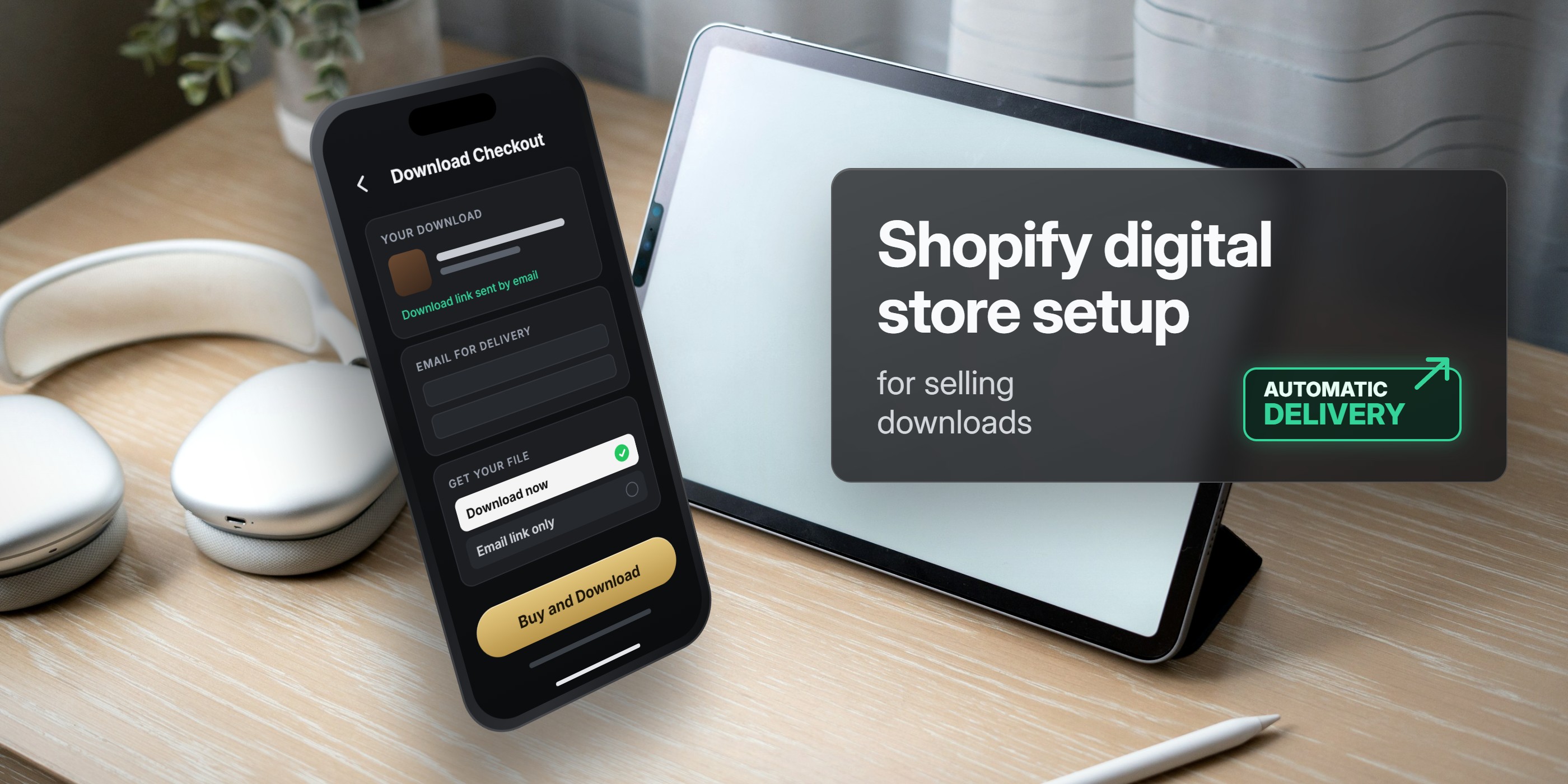
- Pick automatic or manual delivery for each variant. Automatic delivery emails a download link after a successful payment and marks the order fulfilled. Manual delivery waits until you fulfill the order yourself.
- Set a download limit if you want one. Every variant starts at unlimited.
- Decide whether buyers also see a download link on the order confirmation page, or get the file by email only.
- Edit the download email template so it carries your brand, a short note on how to open the file and a support address.
Then buy your own product. A test order shows you the checkout, the email and the download exactly as a buyer sees them, and it’s the quickest way to catch a template that reads badly or a file that won’t open on a phone.
The Orders screen is where support happens later. It lists every digital order with its download count. From an order you can update the buyer’s email address, resend the download email, view the link, or deactivate the download if a refund comes through. You can also export every digital order to a CSV file for your own records.
What are the Digital Downloads app’s limits?
The free app covers delivery and stops there. These are the limits worth knowing before you upload anything.
- File size. The maximum is 5 GB a file, and you can’t upload folders, only single files or archives such as a .zip.
- No bandwidth cap. Shopify’s help center says there’s no bandwidth limit on downloads, so a file that sells well doesn’t run up a usage bill the way some paid apps’ plans can.
- Replacements are yours to announce. When you replace a file you’ve sold, the app asks whether to email existing customers about the update, so decide before you upload a corrected version.
- Sharing controls are basic. The listing’s feature list names download management, email delivery, download limits, file security and file hosting. It doesn’t include PDF stamping, streaming or license keys, all of which SendOwl and Sky Pilot list.
- No lessons. The app delivers files. Its help page describes no course player, no progress tracking and no content locked behind a member login.
None of that makes it a weak app. For a PDF, a preset pack or an album, it does the job, costs nothing and lives inside Shopify’s own admin. It can also attach a file to a physical product you already sell, so a printed book can carry its digital edition. You start paying for more only when the product needs protecting from copies or a better way to be watched.
When are SendOwl or Sky Pilot worth paying for?
Pay for a delivery app when the product itself needs protecting or presenting, not because the free app looks plain. Here’s how the three compared on their Shopify App Store listings.
| App | Lowest paid plan | Files and bandwidth | License keys | PDF stamping | Listing rating |
|---|---|---|---|---|---|
| Digital Downloads | None, the app is free | Files up to 5 GB, no bandwidth limit | Not listed | Not listed | 4.6 from 676 reviews |
| SendOwl | Launch, $39 a month for up to 5,000 orders and $10,000 in sales a year | Unlimited products and storage, bandwidth allotment set by plan | Every plan | Every plan | 2.7 from 92 reviews |
| Sky Pilot | Starter, $9 a month, after a free plan | 10 GB of storage and 15 GB of monthly bandwidth on Starter, then $2 a GB | Growth plan, $54.99 a month | Growth plan, $54.99 a month | 4.8 from 388 reviews |
SendOwl puts every feature on every plan. Its pricing page says “the only differences between plans are the order/sales volume limits, bandwidth allotment, and support level.” The catch is the cap. SendOwl measures volume over a trailing 12 months, and if you pass a limit, “you will be notified immediately and upgraded.” A store selling $1,000 of templates a month reaches $12,000 a year, past Launch’s $10,000 cap, so it moves to Grow at $87 a month. Read the reviews before you install. The 2.7 average splits between 66% five-star and 26% one-star ratings, and the complaints shown focus on SendOwl’s 2025 price change.
Sky Pilot charges for storage and traffic instead. Starter costs $9 a month or $90 a year, plus $2 for each GB of bandwidth past 15 GB. Bandwidth is file size times downloads, so a 300 MB video downloaded 100 times uses about 30 GB, and on Starter that month would add roughly $30 in overage to the $9. Streaming, PDF stamping and unlimited license keys sit in the feature list of the $54.99 Growth plan, along with subscription integration. The free plan covers 100 MB of files and 1 GB of monthly bandwidth, enough to test the delivery page.
There’s no single best digital download app for Shopify, only the cheapest one that covers the feature you actually need. Both paid apps list a free trial on their paid plans, so test before you commit. If you’d like to see the wider field first, our Shopify app picks cover the apps we’d shortlist beyond delivery.
How do license keys work in a Shopify store?
A license key is a code your software checks before it runs, so each buyer needs a unique one, issued at the moment of sale. The free Digital Downloads app doesn’t list them, so this is a job for a paid app.
Keys reach buyers in one of two ways. Either your software already produces keys and you load a batch into the app, which hands out one per order, or the app generates keys itself. SendOwl’s pricing page describes its version as “Auto-generate and manage licenses,” and Sky Pilot names unlimited license keys on its Growth plan. Other App Store listings, such as BIG Digital Downloads and Pendora, mention license keys in their descriptions too.
Whichever app you pick, plan for three things.
- The empty batch. If keys come from a list you uploaded, find out what the app does when the list runs out in the middle of a launch, and refill it well before.
- Refunds. Switching off a download in your store doesn’t switch off a key your software has already accepted. Revoking it happens in your software, so match every key to its order number.
- Seats. If a buyer purchases three seats, decide whether they get three keys or one key with three activations, and say which on the product page.
Export the order-to-key list regularly, too, so a change of delivery app never strands customers who need a key reissued.
Can you sell courses and memberships from Shopify?
Yes, through apps that put lessons inside your store. Digital Downloads hands over a file and its job ends there, while a course needs lessons in order, progress a student can see and content that stays locked to people who haven’t paid.
Two listings show the range. Tevello Courses & Communities listed a free plan for development stores only and one paid plan at $29 a month with unlimited courses, members and communities, plus memberships and subscriptions, drip content, certificates and quizzes. Its listing says it keeps courses “within your eCommerce store without sending them to a separate site,” with purchases through Shopify’s checkout. Courses Plus prices by lessons instead. Its free Demo plan allows 5 lessons per store, Basic costs $19.99 a month for up to 20 lessons, Professional costs $79.99 for up to 100 lessons and adds subscriptions, and Enterprise at $199.99 adds memberships.
A membership adds a recurring charge on top of the content, and recurring billing is the work of Shopify subscription apps. Course and delivery apps plug into those rather than billing on their own. Tevello’s listing names Appstle Subscriptions and Seal Subscriptions among the apps it works with, and Sky Pilot’s says it works with subscription apps.
List the benefits a member pays for that a single purchase doesn’t include, and check which plan of which app covers each one. Courses Plus, for one, keeps memberships for its top tier. If you’re still weighing whether recurring access suits your product at all, read up on the main subscription models first.
How should you structure a digital catalog?
Let variants do the work. Shopify’s help center says you can add multiple files per variant, and each variant carries its own fulfillment setting and download limit. That makes variants the natural home for any choice a buyer makes about the same product.
- Formats. An ebook sold as PDF and EPUB becomes one product with two variants, each carrying its own file.
- Licenses. A font or photo pack can offer a personal-use variant and a commercial-use variant at different prices, each with its terms document attached beside the files.
- Bundles. Zip a set of files into one archive, or attach several files to one variant, so a bundle arrives as a single purchase.
- Physical plus digital. A print sold with a digital copy stays one product. Shopify suggests manual fulfillment for this mix, with a vinyl record and its MP3 download as the example, so the file goes out when you fulfill the order.
Catalog size changes the build. If you sell one flagship product, the store works like a one product Shopify store, a single page that does all the selling, and Starter’s product page and checkout may be all you need. Once you sell dozens of files, shoppers need collections to browse by type or topic, and collections mean Basic or above.
Name every file with a version number before you upload it, such as a pattern saved as v1.2, so when you replace a file, everyone can tell which version they hold.
What should a digital product page show before someone buys?
Everything a buyer would check if they could pick the product up. A file can’t be handled, so the page has to answer the questions a shelf answers for free.
- What’s inside. Page count, number of files, formats, total file size and, for software, the versions it runs on.
- A real preview. Sample pages, a short audio clip or a watermarked image, so the buyer judges the actual work.
- How delivery works. Say the link arrives by email right after payment, and mention the download link on the confirmation page if you’ve turned it on.
- The limits. If you capped downloads, say how many, and tell buyers to save the file somewhere safe.
- License terms. Personal or commercial use, how many seats, and whether the buyer may share it.
- Refund policy. A download can’t be sent back, so state your policy in a line near the price, not only in the footer.
Product copy carries most of this. Lead with the result the buyer wants, then the specifics, and keep each spec on its own line so a skimmer finds the format and file size in seconds. For copy patterns that work on any product, see our product copy examples. Your first buyers are also your best audience for the next file, so plan for selling to past buyers by email from the first sale.
How do taxes work on digital products in Shopify?
Shopify gives you the settings to charge tax on downloads, but whether you owe tax, where and at what rate is yours to work out. Its help center says “in some jurisdictions, you don’t need to charge sales tax on digital products,” and tells you to check with a local tax expert.
In the US, Shopify’s setup guide starts with the questions only you can answer. Work out whether you need to collect sales tax, register with each state agency where you do, then add each state and its sales tax ID under Settings, then Taxes and duties. If a product shouldn’t be taxed, open it and deselect Charge tax on this product. For a large catalog, Shopify describes a CSV bulk edit that does the same job.
The EU works differently. Shopify’s help center says “Consumers living in the European Union (EU) must pay a value added tax (VAT) on digital goods at the rate that applies in their own country, regardless where the seller is located.” Its example is a Dutch merchant selling to a German customer, who pays the German rate of 19%. The Charge VAT on digital goods setting automates the rate. Turning it on creates a manual collection called Digital Goods VAT Tax, and every product you add to it gets the right VAT rate from the buyer’s billing address.
Registration is a separate step. Shopify points EU merchants to the One-Stop-Shop scheme, and non-EU merchants to local VAT registrations or a one-stop-shop scheme for sales into the EU. Some tax authorities also want two pieces of evidence of each buyer’s location. Shopify records the billing address and IP address on every order, and if they point to different countries, its help center says to get another piece of evidence.
If you use Shopify Tax, its product categories feature suggests a category for each product and applies the rate that fits your customer’s local rules, and its liability insights show where you might need to register. Even so, Shopify’s help center says it’s your responsibility “to ensure you file and remit your taxes correctly,” so bring your accountant in before your first international sale.
When is Shopify the wrong home for your downloads?
When the store costs more to run than the files earn. Basic costs $39 a month before any app, and a delivery app with stamping or streaming adds to that every month, whether you sell or not. If you have one ebook and no audience yet, that fixed cost arrives before your first sale, and Starter’s 5% fee is the cheaper way to find out whether anyone buys.
Shopify also leaves the tax work with you. The settings in the last section help you charge tax, while registering and making sure every return gets filed stay your job. If that’s more paperwork than your product justifies, the comparison linked at the top of this guide covers platforms that take it on in exchange for a cut of each sale.
Shopify earns its cost in three cases. Your downloads sit beside physical products, you want your own brand and checkout rather than a creator profile, or you plan a catalog big enough to need collections, discount codes and email campaigns. For the rest of the trade-offs, see where Shopify falls short as a platform.
What we would do first
Start with the free app and one product. Install Digital Downloads, build a single product as a draft, attach the file, turn on the download link at checkout and buy it yourself. Fix whatever the test order shows you, then copy that setup across the rest of your Shopify digital store.
Decide your sharing rules before launch, not after a leak. Set a download limit, send files only through the app’s own emails, and if your files are worth protecting with stamping or streaming, trial SendOwl or Sky Pilot on one product before you move everything.
Then settle tax with an accountant, not a forum thread. Find out where you need to register, set up VAT on digital goods if you sell into Europe, and keep master copies of every file, with version numbers, outside Shopify.
If you’d rather have the store built and tested for you, from product setup to delivery apps and test orders, our Shopify store setup service covers it.
Frequently asked questions
Can I use Shopify to sell digital products?
Yes. Shopify sells digital products through apps, starting with its own free Digital Downloads app, which attaches files to products and emails each buyer a download link after payment. You create the product as usual, switch off the Physical product setting and attach the file. For PDF stamping, streaming or license keys, apps such as SendOwl and Sky Pilot add those features, and course apps handle lessons.
Is it free to sell digital products on Shopify?
No, though the delivery part can be. Shopify's Digital Downloads app is free, but the store needs a paid plan. On Shopify's US pricing, Basic is $39 a month on monthly billing or $29 a month paid yearly, with online card rates from 2.9% + 30¢. Starter costs $5 a month with a 5% transaction fee on Shopify Payments, and suits a single product sold through links.
Is Shopify worth it for digital products?
Shopify is worth it if you sell digital products beside physical ones, want your own branded store and checkout, or plan a catalog big enough to need collections, discount codes and email. It's harder to justify for a single ebook with no audience yet, because the plan and any paid delivery app cost money every month, and responsibility for tax registrations and returns stays with you.
What apps are available for Shopify digital downloads?
Shopify's own Digital Downloads app is free and covers files up to 5 GB with email delivery and download limits. SendOwl, from $39 a month, adds PDF stamping, expiring links, streaming and license keys. Sky Pilot has a free plan and paid plans from $9 a month, with stamping, streaming and license keys on its Growth plan. Filemonk, Fileflare, BIG Digital Downloads and Pendora are other options in the App Store.
What is the Sky Pilot app?
Sky Pilot is a Shopify app for selling and delivering digital products, from ebooks and PDFs to video, audio, software and license keys, through a branded delivery page. Its App Store listing showed a free plan and paid plans from $9 a month, priced by file storage and monthly bandwidth. PDF stamping, video streaming and unlimited license keys appear on its $54.99 Growth plan.
How to sell an ebook on Shopify?
Create a product for the ebook with a title, description, price and sample pages, switch off the Physical product setting, and attach the file with Shopify's free Digital Downloads app. If you have PDF and EPUB versions, offer them as two variants. Set automatic fulfillment so the link goes out after payment, and consider an app with PDF stamping if you're worried about copies being shared.
Can I use Shopify to sell courses?
Yes, with a course app. Shopify's Digital Downloads app delivers files but doesn't host lessons. Apps such as Tevello Courses & Communities, at $29 a month on its paid plan, and Courses Plus, from $19.99 a month for up to 20 lessons, put lessons inside your store, with drip content and certificates on their paid plans.
Do I charge sales tax on digital products?
It depends on where your buyers live. Shopify's help center notes that some jurisdictions don't require sales tax on digital products, and tells you to check with a local tax expert. In the EU, consumers pay VAT on digital goods at their own country's rate wherever the seller is based. In the US, each state sets its own rules, and you register with a state before collecting its tax.
What are the key differences between Shopify Basic and Starter plans?
Starter costs $5 a month in the US with a 5% transaction fee on Shopify Payments, and gives you a simplified store built for selling through links on social media and in messages. Basic costs $39 a month, or $29 billed yearly, for a full online store. Starter limits you to the Spotlight theme and can't group products into collections or create new page templates. For downloads, Starter can carry one product sold by link, while a catalog of files needs Basic.