In this article
- Test demand with preorders, deposits or a small batch before you buy inventory, because unsold stock is the costliest mistake.
- You count as a sole proprietor once you start selling, but an LLC shields personal assets in most instances.
- An EIN from the IRS is free and issued online in minutes, so never pay a website to file for one.
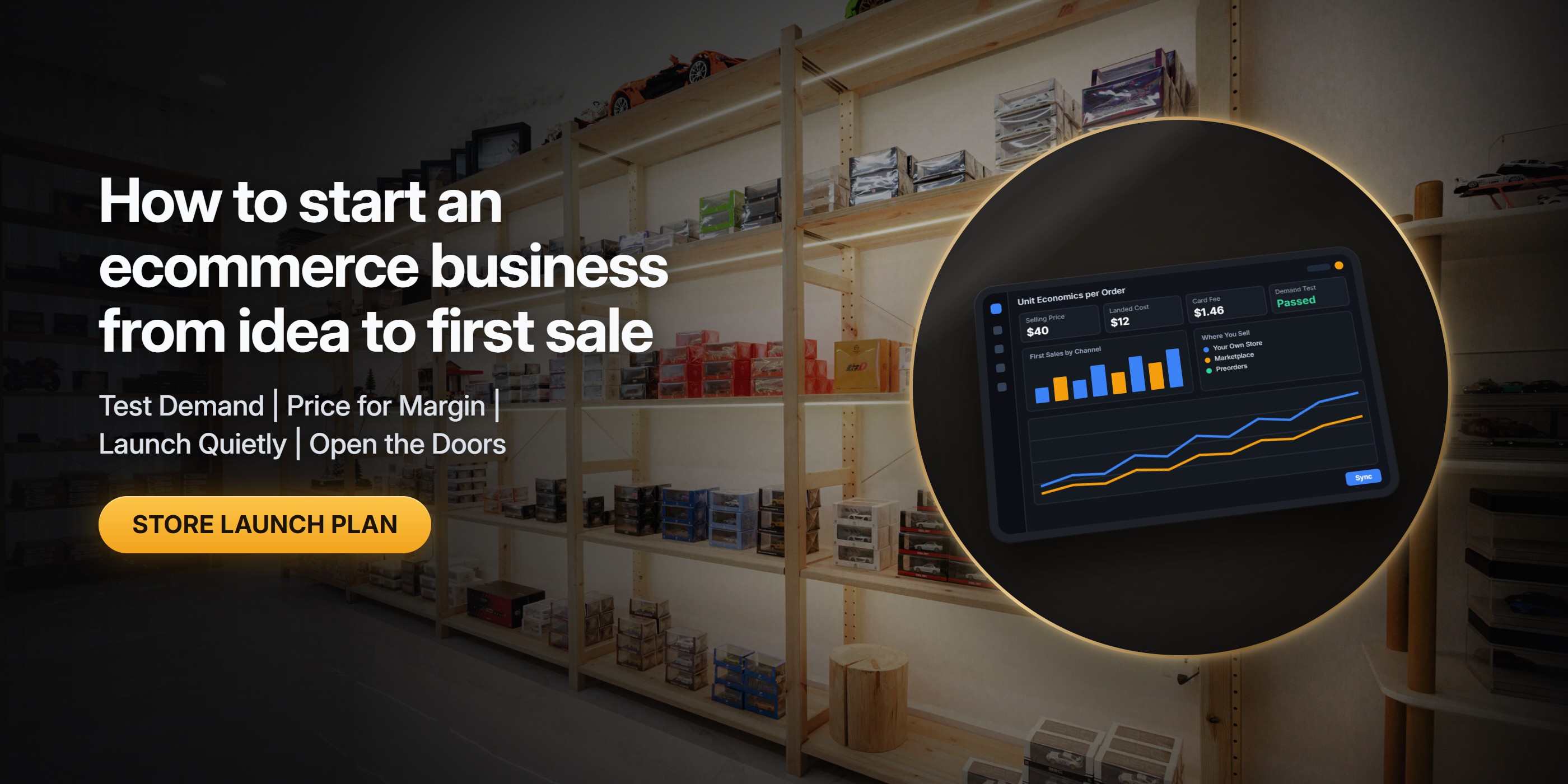
- On a $40 order, Shopify’s online card rate of 2.9% plus 30 cents takes $1.46 before shipping or marketing.
- Order samples, file registrations and get your EIN in week one, because those steps run on other people’s timelines.
How to start an ecommerce business comes down to nine steps, done in an order that keeps your money safe for as long as possible. You pick a product with room for margin, prove people will pay for it, choose how you’ll stock and sell it, write the numbers down, register the business, pick a platform, build the store, line up supply and shipping, then launch and go after your first sales.
The order matters whether you start an online store on your own site or sell through a marketplace, because the expensive mistakes are the hard ones to undo. A store design can change in an afternoon. Five hundred units of the wrong product, a supplier who can’t ship on time or a business structure you have to unwind cost real money. If you’re still weighing whether this kind of business suits you, start with what an ecommerce business is and come back when you’re ready to build one.
How to start an ecommerce business, step by step
Each step ends with something you can check, so you know when to move on. Use the table as your launch checklist.
| Step | What you decide | What you have at the end |
|---|---|---|
| Pick a product | What you’ll sell and roughly what it will cost you | A product with a margin you’ve worked out |
| Test demand | Whether strangers will pay for it | Preorders, deposits or test-batch sales |
| Choose a model | Who makes, holds and ships the stock, and where you sell | A supply plan and a first sales channel |
| Write the plan | What one order earns and what launch costs | A one-page plan built on real quotes |
| Register the business | Structure, name, tax IDs and permits | A business that can legally sell and collect sales tax |
| Pick a platform | Hosted store, open-source store or marketplace | An account you can build in |
| Build the store | Pages, payments, shipping and policies | A store that has passed a real test order |
| Line up supply and shipping | Suppliers, packaging and carriers | Stock on hand, or a supplier ready to ship |
| Launch and sell | Where your first buyers come from | First orders and one channel you can repeat |
You don’t have to finish one row before starting the next, and you shouldn’t. Supplier samples and state registrations run on other people’s timelines, so they can move in the background while you build. What you shouldn’t do is skip the second and fourth rows. Those are the two that stop you from paying for stock nobody wants or a product that loses money on every order.
Pick a product with room for margin
Your product sets most of your costs before you spend a dollar on marketing. A great brand can’t rescue an item that’s expensive to ship, easy to break and bought once a decade. When you compare options, score each one on five things.
- Margin. The selling price minus your landed cost has to cover card fees, packaging, shipping, returns and the cost of finding each buyer, and still leave a profit.
- Size and weight. Small, light, sturdy products cost less to store and ship, and fewer of them arrive broken.
- A reason to come back. Consumables and refills can earn a second order without a second ad.
- A clear buyer. You should be able to say who buys it and where they go looking for it.
- Room to stand out. If dozens of sellers already list the identical item, you’ll end up competing on price alone.
For a first store, steer away from products that are perishable, fragile, heavily regulated or prone to sizing returns unless you already know the category well. Those can all work, but each adds a cost or a rule you’ll be learning on live orders. If you’re still choosing what to sell, our list of ecommerce business ideas is a good place to build a shortlist, and the five tests above will narrow it fast.
How do you know anyone will buy it?
You test demand before you buy inventory, because unsold stock is the most expensive way to learn you guessed wrong. Use more than one of these signals, and set a pass mark before you start, such as a number of paid preorders by a set date. A pass mark written down in advance stops you from talking yourself into a product the market ignored.
- Search demand. Google describes its Keyword Planner, which you open from a Google Ads account, as a free tool to find keywords related to your business and see estimates of the searches they receive. Steady searches for your product type mean people already look for it. Our guide to ecommerce keyword research shows how to read those numbers for product searches.
- Competitors’ reviews. Read the one-star to three-star reviews on similar products. Repeated complaints about sizing, durability or packaging are product requirements handed to you for free.
- Presales. Take preorders or deposits on a simple product page, and place the supplier order once enough buyers have paid.
- A small test. Sell a short run, or use print on demand for designs, and watch what sells at full price.
Weak results aren’t wasted. If people click but don’t buy, the price or the page is the problem. If nobody clicks at all, the product or the audience is. Either way, you learned it for the cost of a test rather than a pallet of stock.
Decide how you’ll stock the product and where you’ll sell it
Two choices shape your week from here on. The first is who makes and holds the stock.
- Make it yourself when the product is your skill or your recipe. You control quality, and your cash sits in materials and finished goods.
- Buy wholesale or private label when you can sell enough to meet a supplier’s minimum order. Unit costs fall as volume rises, and unsold stock is your risk.
- Dropship when you want to test without holding stock. Margins are thinner, and the supplier’s delivery speed becomes your reputation.
- Print on demand for designs on shirts, mugs and posters. Nothing is made until someone pays, but each unit costs more.
The second choice is where you sell first. A marketplace brings shoppers who are already searching but sets the fees and keeps the customer. Your own store keeps the customer and the margin but starts with no traffic. You can run both, using the marketplace to find buyers and your own store to sell to them again.
Selling your own products through your own store is the direct to consumer route. If that’s where you’re headed, read how the DTC model works first, because you take on every job a retailer would otherwise do for you, from shipping to customer service to paying for each new buyer.
Write a one-page plan before you spend
A business plan for a first store can fit on one page, as long as the numbers on it come from real quotes. Write down who you sell to, what you sell, your price, your landed cost, every cost that comes with an order, your launch budget and the channels you’ll use for the first 90 days. An ecommerce business plan template gives you the headings, so you only have to fill in the answers.
The line that matters most is what one order earns. Here’s a worked example with round numbers, not benchmarks. Say you sell a product for $40 and it costs you $12 landed. At the online card rate Shopify lists for its Basic plan, 2.9% plus 30 cents, processing takes $1.46. Say packaging and shipping come to $8 on your carrier quote. That leaves $18.54 to pay for returns, the marketing that found the buyer and your profit. Say your ads cost $20 for each first order, and that order loses $1.46 before any returns.
If it usually costs you more than that to win a first order, the product loses money until customers come back. You can fix that before launch by raising the price, bundling items to lift the order size, cutting the packaging cost or choosing a product with more room in it. You can’t fix it with more traffic, because more traffic only multiplies the loss.
What legal setup does an online store need?
The legal side of ecommerce business setup is lighter than most people fear, but it isn’t nothing. This is general information rather than legal or tax advice, and the details vary by state, so confirm each item with your state’s websites or an accountant. Some items are required before your first sale and some are optional choices about risk, so each one below says which.
- A business structure, optional to form. The Small Business Administration says you’re automatically considered a sole proprietorship if you do business activities but don’t register as any other kind of business, so you can start selling without forming anything. The trade-off is liability, because a sole proprietorship’s debts are your personal debts. An LLC is a separate filing with your state, and the SBA notes that it protects you from personal liability in most instances. You may still read that a new LLC must file a beneficial ownership report with FinCEN. FinCEN exempted all entities created in the United States from that reporting in March 2025, so a US LLC doesn’t file one.
- Your business name, required in some places. If you sell under a name other than your own legal name, you may need to register it as a DBA, short for doing business as. The SBA says some states, and some counties and cities, require DBA registration, so check at each level.
- An EIN, free. The SBA says you need an Employer Identification Number to pay federal taxes, hire employees, open a bank account and apply for licenses and permits. The IRS issues one online in minutes and states that you never have to pay a fee for an EIN, so ignore any site that charges for it.
- A sales tax permit, required where you collect. Register with your state’s revenue department before you collect sales tax there. Since the Supreme Court’s 2018 decision in South Dakota v. Wayfair, a state can require an online seller to collect its sales tax without a physical presence there, so track your sales by state from the first order.
- Licenses and permits, required where they apply. The SBA says the licenses and permits you need from your state, county or city depend on your business activities and location, and that fees vary. Activities regulated by a federal agency need a federal license or permit as well.
- A business bank account, optional but worth opening early. The SBA lists opening a bank account among the things an EIN is for, which is one more reason to get the EIN in your first week.
Most of these are online forms on government websites, and for a simple product you can file them yourself. They do need doing before your first sale, because registering for sales tax after you’ve already collected it, or signing supplier contracts in your own name and moving them later, is slower and messier than doing it in the right order.
Which ecommerce platform should you start on?
You have three realistic starting points, and the cheapest monthly plan isn’t always the cheapest platform once card fees scale with your sales.
- A hosted platform rents you the store, hosting, security and checkout for a monthly fee. Shopify’s pricing page, for example, lists its Basic plan starting at $29 a month billed yearly, with online card rates starting at 2.9% plus 30 cents and a 2% fee if you use a third-party payment provider instead of Shopify’s own.
- An open-source platform runs on hosting you pay for and look after. The WooCommerce plugin for WordPress is free to install, though its WordPress.org listing notes that it “offers additional paid commercial upgrades or support,” and hosting, a theme and any paid extensions are yours to buy.
- A marketplace only. You list products in someone else’s store, such as Amazon or Etsy, and pay fees per sale instead of running a site.
For most first stores with a small catalog, a hosted platform is the shortest path to a working checkout, because you aren’t also learning to run a server. Open source makes more sense when you already run a WordPress site or need something a hosted platform won’t let you change. Our comparison of ecommerce platforms sets the main options side by side on price, fees and fit.
Build the store without overbuilding it
Your first version needs to do one job well, which is turn a visitor into a paid order you can ship. Everything else can wait for real customer feedback. Before launch, check that you have these.
- Product pages with your own photos, a clear price, stock status and a delivery estimate you can keep.
- A checkout that shows shipping and tax before the last step.
- Shipping, returns and privacy policies, linked from the footer.
- A contact page with a real way to reach you.
- Order emails for confirmation and shipment.
- Analytics that record orders and revenue, not just visits.
Resist the urge to buy a premium theme and a stack of apps before you’ve made a sale. Each app adds a monthly bill and another thing that can slow the site down, and you won’t know which ones you need until customers start asking questions. When you’re ready for the build itself, our walkthrough on how to create your ecommerce website covers domains, design, payments, shipping settings and testing in detail.
Line up suppliers, packaging and shipping
If someone else makes your product, get the supplier relationship in writing before launch. Ask every candidate the same questions, and get at least two quotes so you have a fallback when one runs late.
- What is the minimum order quantity, and how does the unit price change at higher volumes?
- How long from order to delivery at your door, and how long for a reorder?
- What are the payment terms, and is a deposit required?
- What happens to defective units, and who pays to replace them?
- Can you send samples, and what do they cost?
Then order samples and pack one exactly the way a customer would receive it. Weigh it and measure it, because many carriers price parcels on size as well as weight, and get rates from at least two carriers for your most common order. That packed weight is the number your shipping settings and your per-order math depend on.
Ship orders yourself at first. You can run a home ecommerce business from a spare room until the volume says otherwise. It’s cheap, and you see every problem with your packaging before a customer does. A third-party fulfillment warehouse starts to make sense when packing orders is eating the hours you should spend finding customers. If you dropship, test the supplier with your own order first and time how long it takes to arrive, because the delivery promise on your site is yours, not theirs. If the supplier ships from abroad, budget for duties on each order as well. Duty-free de minimis treatment was suspended for imports from every country from August 29, 2025, so a low-value parcel of goods you sell no longer enters duty-free just because it’s small.
How much does it cost to start an ecommerce business?
The fixed costs of opening a store can be small. Inventory and marketing are where most of the money goes, and both are within your control. Here’s how the main lines break down.
| Cost | When you pay it | What sets the number |
|---|---|---|
| EIN from the IRS | Once | Nothing. The IRS doesn’t charge for it |
| Business registration | Once, then often yearly | Your state and your structure. In California, the Secretary of State charges $70 to file LLC articles of organization, and the Franchise Tax Board adds an $800 annual tax |
| Store platform | Monthly or yearly | The plan you choose. Shopify’s Basic plan starts at $29 a month billed yearly |
| Card processing | On every order | A percentage plus a fixed fee, such as 2.9% plus 30 cents online on Shopify Basic |
| Samples and first inventory | Before launch | Supplier minimums and your unit cost |
| Packaging and shipping supplies | Before launch, then ongoing | Your product’s size and how many orders you expect |
| Photos and product content | Before launch | Whether you shoot them yourself |
| Launch marketing | From launch | The budget you cap it at |
Inventory is the line to keep smallest at the start. Order enough to fill your test-period sales and no more, even if a bigger order gets you a better unit price. A cheaper unit cost on stock you can’t sell is still a loss.
Put a cap on launch marketing too, and decide in advance what result earns more budget. A fixed amount spent over the first month, measured against what each first order cost you, tells you more than an open-ended spend you keep topping up.
Launch quietly, then open the doors
Treat the first week as a soft launch. Place a real order with your own card, ship it to yourself and refund it, so you see the confirmation email, the packing step and the payout exactly as a customer and your bank will. Then open the store to people who already know you, and ask the first buyers for honest reviews. Real reviews answer the questions a stranger would otherwise have to guess at, like fit, quality and how fast the order arrived.
While that runs, set up the free channels that take time to start working. In Google Merchant Center, a free listing lets your products appear at no cost on Google Search, the Shopping tab, Google Images and other Google surfaces, although Google notes that permission to show products doesn’t guarantee they’ll be shown. Our guide to Google Shopping listings walks through Merchant Center setup and the product data Google expects. Submit your site to Google Search Console as well, so your product and category pages can start getting indexed.
Only open the doors fully once the soft launch has gone smoothly. Orders shipped on time, emails arrived, payouts landed and nobody found a broken page. Fixing a problem in front of ten friendly buyers costs far less than fixing it in front of a thousand strangers.
Where will your first sales come from?
Not from launching and waiting. A new store has no search rankings, no reviews and no audience, so the first sales come from people you reach on purpose. Work through these roughly in order of cost.
- Your validation list. Everyone who preordered, put down a deposit or joined a waitlist during testing hears about the launch first.
- Your own network and communities. Friends, past colleagues and the online groups where your buyers already talk, approached as a person rather than an ad.
- A marketplace listing. If your product fits one, a listing puts you in front of shoppers who are already searching.
- A capped paid test. A small search or Shopping ad budget aimed at people looking for your exact product type, judged on cost per first order.
- Email from day one. Capture an address from every buyer and visitor you can, because that list is where your second sale comes from.
Track three numbers from the first order. What each new customer cost you, what each order earned after its costs, and how many buyers came back. Those three tell you whether to spend more, change the product or change the channel. Search traffic and content can take months to build, so start them early and judge them later.
Start the slow steps first
If we were starting a store this month, we’d rearrange the checklist by lead time rather than by excitement. In week one we’d order samples from two suppliers, file the business structure, get the EIN and register for sales tax, because all of those run on someone else’s clock. The store build, the photos and the launch plan would happen while we waited.
We’d also refuse to place a full inventory order until the presales or test batch had hit the pass mark we set in advance, and until the per-order math worked with real quotes in it. A store with a simple design can still make money. A product that loses money on every order can’t, and neither can stock bought before anyone proved they wanted it.
Your next step this week is the one-page plan, with the per-order math filled in from real supplier and carrier quotes. On paper, that’s how to start an ecommerce business, and if the numbers work, you’re ready to build. We build stores for clients, so we have a stake in this part. If you’d rather have the build handled for you on a tight budget, look at our affordable ecommerce website service.
Frequently asked questions
Do I need an LLC for ecommerce?
No. The SBA says you're automatically a sole proprietor if you do business activities without registering as another kind of business, and it calls that structure a good choice for low-risk businesses and owners testing an idea before forming something more formal. The catch is that the business's debts are your personal debts. Consider an LLC before you sign supplier contracts, hold significant stock or hire help, since the SBA says an LLC protects your personal assets in most instances.
What is the $800 LLC fee?
It's California's annual LLC tax. The Franchise Tax Board says every LLC doing business or organized in California must pay an annual tax of $800, and that it stays due even if you aren't conducting business, until you cancel the LLC. The first payment is due by the 15th day of the 4th month after you file with the Secretary of State. An LLC that makes more than $250,000 in California also owes a separate fee, which starts at $900.
Is ecommerce still worth it in 2026?
It can be, if the numbers work for your product. The Census Bureau's quarterly report released in December 2025 put U.S. retail ecommerce sales at $310.3 billion for the third quarter of 2025, up 5.1% from a year earlier, while total retail sales grew 4.1%. Online sales are still growing faster than retail as a whole. Competition grows with them, so a product that earns money on every order matters more than the channel.
What are 5 disadvantages of e-commerce?
For a seller, five stand out. Shoppers can't touch the product, so photos and descriptions do all the selling. Shipping and packaging costs land on every order. Returns are hard to avoid when buyers can't try things first. You pay to be found, because nobody walks past a website by accident. And competitors are one search away, which pushes prices down. Each one is manageable if you build its cost into your price from the start.
Can I earn money from e-commerce?
Yes, but only if each order earns more than it costs to fulfill and to win. Add up the landed cost, card fees, packaging, shipping, returns and the marketing that found the buyer, then compare the total with your price. If money is left over, profit grows with every order and every customer who comes back. If it isn't, more sales only make the loss bigger, so fix the price or the product before you spend on traffic.
How much money do I need to start ecommerce?
There's no single number, because inventory and marketing make up most of it and you set both. The fixed costs can be small. Shopify's Basic plan starts at $29 a month billed yearly, with the first three months at $1 a month, and an EIN from the IRS is free. State filing fees vary, and a California LLC also owes an $800 annual tax. Put most of your budget into samples, a small first order and a capped launch test.
How do you write ecommerce correctly?
There's no single correct form, but e-commerce with a hyphen is the dictionary spelling. Merriam-Webster lists e-commerce as a noun meaning commerce conducted via the Internet, and the Census Bureau writes e-commerce in its official reports. Ecommerce without the hyphen is common in business writing, and Shopify's own pricing page uses it. Pick one form and use it consistently across your store, your product pages and your marketing, because switching between them looks careless.