In this article
- A blank product or category meta description falls back to your store default, so one sentence can repeat across your catalog.
- Point redirects at a product, category or brand rather than a fixed URL, so they follow that item when its URL changes.
- Stencil storefronts serve the sitemap at /xmlsitemap.php, while Catalyst serves /sitemap.xml and redirects the old path to it.
- Google says robots.txt controls crawling, not indexing, so keep pages out of search with noindex on a page Google can reach.
- Catalyst resolves each friendly URL with an extra blocking API request, so caching those route lookups matters for page speed.
BigCommerce SEO is mostly settings and housekeeping on a platform that already handles the plumbing. BigCommerce builds your URLs, sitemap and product markup for you, so the work that moves rankings is filling the fields it leaves blank, keeping URLs stable, deciding which filter pages Google crawls and keeping pages fast.
Getting it wrong is quiet and expensive. Empty description fields give your whole catalog one shared meta description, and an open filter setup can send Google through an endless run of near-identical URLs before it reaches your new products. If you’re still deciding whether the platform suits you, read our BigCommerce review first. We sell SEO work for BigCommerce stores, so we earn from these fixes either way, but every step below is one you can run yourself.
What does BigCommerce SEO cover before you change anything?
Quite a lot, by BigCommerce’s own account. Its product page on search features says it “auto-populates SEO-friendly URLs for product pages, category pages, and more”, adds “built-in microdata, or ‘rich snippets'” to product pages, creates 301 redirects when you rename a product, serves pages through a content delivery network and lets you edit robots.txt. It also claims that “every unique page on your site has only one URL”. Treat that last one as a starting point to test, because filters and tracking parameters can still create extra versions of a page.
What the platform can’t do is make decisions for you. It doesn’t know which products deserve a hand-written title, which filter combinations people actually search for or which old URLs still earn links. The table below splits the work.
| Job | What BigCommerce does | What’s left to you |
|---|---|---|
| URLs | Builds each URL from the product, category or brand name | Settle the pattern before launch and keep it |
| Titles and descriptions | Falls back to the item name and your store’s default description | Write both for every page that earns traffic |
| Redirects | Adds a 301 when you rename a product | Map every other moved or deleted URL |
| Sitemap | Serves one at /xmlsitemap.php on Stencil or /sitemap.xml on Catalyst | Submit it in Google Search Console |
| robots.txt | Gives you an editable file, with overrides per storefront | Decide which filter URLs stay out of the crawl |
| Product markup | Ships microdata in product pages, per BigCommerce | Test what your theme actually outputs |
The rest of this guide takes each row in turn and assumes you’re already on BigCommerce and want it done properly.
Which URL structure should your store keep?
Keep the one you launch with, unless it’s actively hurting you. BigCommerce’s catalog API documentation says a product URL “will be autogenerated from the product name” if you don’t set one, and categories and brands work the same way from their own names. Every item also has a custom URL, and the API flags whether it “has been changed from its default state (the auto-assigned URL that BigCommerce provides)”.
You also control the storewide pattern. BigCommerce says its “default options are primed to be SEO-friendly, but you have full control over settings”. That freedom cuts both ways. A product renamed in the admin gets an automatic redirect, but a storewide pattern change can touch every URL at once, so check that a redirect exists for each old path before you change anything in bulk.
Google’s guidance is short on this point. Its page on ecommerce URL design tells platform users they “can most likely skip” that section, because the platform has probably dealt with those issues already. Where it does give advice, two lines matter on BigCommerce. Google asks for “long-term, persistent URLs”, and it wants the same URL used in your internal links, sitemap files and canonical tags.
In practice, keep product URLs short and descriptive, and leave category folders out of product paths if products move between categories often. A path tied to a category changes every time a product moves. This is one place BigCommerce gives you more room than Shopify, whose help center calls its /products and /collections paths fixed. The Shopify version of this guide covers how to work within that.
How should you fill the SEO fields for titles and meta descriptions?
Fill them on every page that earns traffic, starting with the ones Google already shows. Products, categories and brands each carry a page title, a meta description, meta keywords and search keywords. Your store also holds storewide defaults for the title, description and keywords, plus a setting for whether the site redirects to the www or non-www version of your domain.
The fallbacks are the part most stores miss. BigCommerce’s API reference says that if a product page title isn’t defined, “the product name will be used as the meta title”, and if the meta description isn’t defined, “the store’s default meta description will be used.” Categories follow the same rule. So a catalog with blank fields carries one storewide sentence as the description of hundreds of different products.
Google’s title guidance explains why that hurts. It warns against repeated or boilerplate titles, using “Cheap products for sale” as the example of a title that makes pages impossible to tell apart. For descriptions, Google says “there’s no limit on how long a meta description can be, but the snippet is truncated in Google Search results as needed”, and asks for unique descriptions on each page.
Two fields need less effort than they look. Search keywords only help shoppers find items in your store’s own search box, according to BigCommerce’s definition of the field. Meta keywords do nothing in Google, which states that “Google Search doesn’t use the keywords meta tag.” Spend that time on titles that name the product type, its key detail and your brand, and on descriptions that give a shopper a reason to click.
How do 301 redirects work in BigCommerce’s redirect manager?
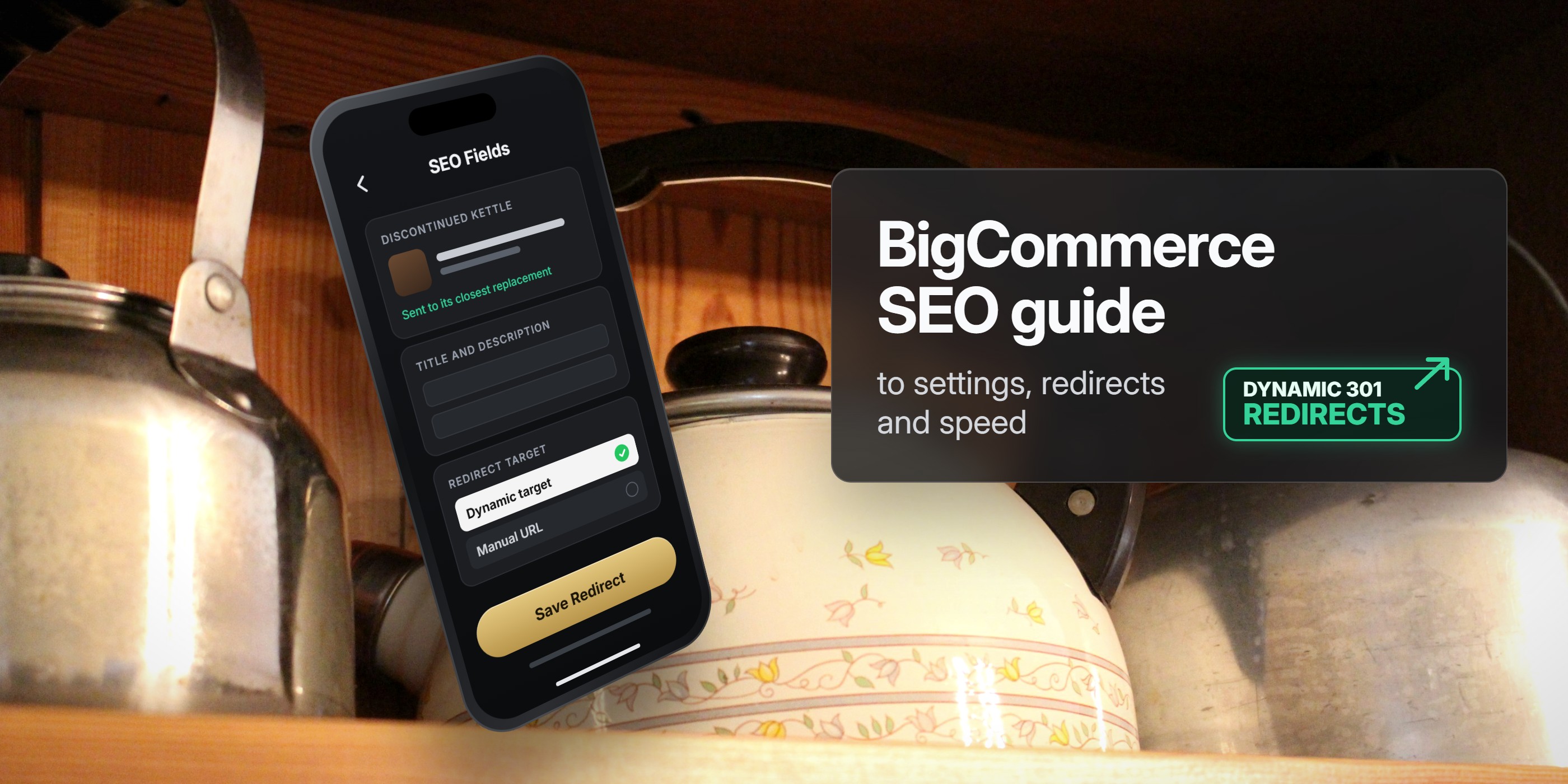
Each redirect you add sends an old path to a new destination with a permanent 301. BigCommerce’s developer docs describe the tool as a way to “manage 301 redirects for one or more storefronts”, and every redirect belongs to a specific site. You can add them one at a time or in bulk with a CSV whose columns are Domain, Old Path, Manual URL/Path, Dynamic Target Type and Dynamic Target ID.
That last pair of columns is the choice that matters. A dynamic redirect points at a product, brand, category, web page or blog post by its ID, so it follows that item wherever its URL goes next. A manual redirect points at a fixed URL. BigCommerce’s storefront docs warn that if that destination “itself is a redirect, this can create a chain of redirects.”
Picture a discontinued kettle redirected by hand to a category URL that you rename a year later. The old kettle URL now hops twice, and the second hop goes wherever the category’s own redirect points.
Use dynamic targets whenever the destination is something in your catalog. Keep manual targets for pages outside it, such as a landing page on another system. Headless storefronts read the same list, since BigCommerce’s storefront API “supports 301 Redirects that you have added to the store.”
Why 301 rather than anything else? Google’s redirect guidance treats a permanent redirect as “a strong signal that the redirect target should be canonical.” That’s what you want when a product is gone for good. Send it to its closest replacement or its category, not to your home page, so the shopper and the link both land somewhere relevant.
Where is your sitemap, and how do you submit it to Google?
It depends on your storefront. A Stencil storefront serves its sitemap at /xmlsitemap.php. A Catalyst storefront serves /sitemap.xml instead, and BigCommerce’s Catalyst docs say it “automatically redirects any requests for the legacy Stencil sitemap /xmlsitemap.php to /sitemap.xml on Catalyst storefronts.” Catalyst fetches the sitemap index from BigCommerce and serves it as its own, so products, brands and categories are covered without extra work.
The same docs flag the gap. If part of your site lives on another system, such as a blog or help center, “you will need to submit multiple sitemaps” to cover those URLs as well.
Submitting takes a few minutes in Google Search Console. Google’s own getting-started page sets out the order.
- Verify that you own the site, which Google lists first because it unlocks the rest of the data.
- Submit your sitemap path in the Sitemaps report. Google says pages can be found without this step, but a submitted sitemap “might speed up your site’s discovery.”
- Check the indexing report for pages Google tried and failed to index, and fix errors before warnings.
- Use the URL Inspection tool on a product, a category and a filtered page to see what Google actually reads.
Google also suggests checking in “around once every month” rather than daily, since it emails you when it finds new issues. On a store, add a check after every theme change, app install or catalog import.
What should your robots.txt block, and what should it leave open?
Block the pages that only make sense for a signed-in shopper or an internal tool, and leave everything a buyer could search for open. BigCommerce lists “simplified Robot.txt editing” among its search features, and its settings API keeps one storewide robots.txt that any storefront can override with its own version.
For a reference point, look at the file on BigCommerce’s own Cornerstone Light demo store, which BigCommerce’s theme page links as the demo. An archived copy disallows the account, cart, checkout, login, search and wishlist scripts and the /admin/ path. A separate rule blocks any URL carrying _bc_fsnf=1 in its query string.
It also lists dozens of AI crawlers, from GPTBot to PerplexityBot, under a crawl delay rather than a block. Compare your own file with that before you edit, so you know which lines you added.
The mistake to avoid is using robots.txt to hide pages. Google’s introduction to the file says it “is not a mechanism for keeping a web page out of Google.” For that job, Google points you to noindex or password protection. Its noindex guidance adds the catch.
For noindex to work, the page “must not be blocked by a robots.txt file,” or the crawler never sees the rule. So pick one tool per URL. Block crawling for pages that waste crawl time, and use noindex for pages Google can reach but shouldn’t list.
Which faceted filter URLs should Google crawl?
Usually very few. BigCommerce’s product filtering lets shoppers narrow a category by brand, price, rating or custom fields, and you choose which filters show per storefront or per category. Each selection can produce a new URL, and filters combine.
On plans, two BigCommerce pages agree. Its pricing page shows the Product filtering checkmark only under Pro and Enterprise, and its developer docs say facets come back through the storefront API “only if the merchant is on a Pro or Enterprise plan.”
Google’s faceted navigation page describes the risk. Filter URLs built on parameters “can generate infinite URL spaces”, which leads to overcrawling and slower discovery of new pages. It gives two routes.
- If you don’t need filter URLs in search, prevent crawling with robots.txt. Google says “oftentimes there’s no good reason to allow crawling of filtered items.”
- If you do need some indexed, keep filters in a consistent order, use the standard ampersand separator and return a 404 when a combination has no results.
Google adds that canonical tags and nofollow links are “generally less effective in the long term” for this job. The Cornerstone demo’s _bc_fsnf=1 rule shows the first route in action, but it only helps if your filter URLs carry that parameter.
Here’s the rule we use. When a filter combination has real search demand, such as a brand within a category, don’t index the filter URL. Build a proper subcategory or brand page with its own URL, title, description and copy, then keep the filtered version out of the crawl.
How do you check the product schema your theme outputs?
Test real pages rather than trusting the feature list. BigCommerce says the “built-in microdata, or ‘rich snippets,’ in your product pages” adds “ratings, pricing, brand, and stock levels” to your search listings. Microdata sits inside the page’s HTML, though, so what Google receives depends on the theme rendering that HTML and on any app that adds markup of its own.
Google’s product structured data guide sets the target. A product snippet is a search result that “includes additional product information such as ratings, review information, price, and availability.” Google tells you to “validate your code using the Rich Results Test and fix any critical errors,” then use the URL Inspection tool to see how Google reads the live page. If shoppers can buy on the page, the same guide points you to merchant listing markup as well.
Run the test on three products, one simple item, one with variants and one with reviews, because each exercises different parts of the template. Look for missing price or availability, a rating with no reviews behind it, and two separate product blocks where an app has stacked its markup on top of the theme’s.
Then watch Search Console’s rich result reports, which Google says “show what structured data Google could or couldn’t read from your site.” If you’re about to change themes, test the new theme’s demo first. Our guide to choosing a Stencil theme covers the rest of that decision.
How do you improve speed on Stencil and Catalyst?
Measure against Google’s thresholds first, then fix the heaviest thing on the page. Google’s Core Web Vitals page sets three targets. Largest Contentful Paint should land within 2.5 seconds, Interaction to Next Paint should stay below 200 milliseconds, and the Cumulative Layout Shift score should stay below 0.1.
CLS is a score, not a time, even though BigCommerce’s Stencil performance doc writes it in seconds. Google says it highly recommends good Core Web Vitals “for success with Search.”
On Stencil, BigCommerce’s developer docs point to images, scripts and Lighthouse. Upload images at the right dimensions and low byte sizes through Storefront > Image Manager, use a theme that supports responsive images, remove unused JavaScript and inject only the theme variables you need. The same doc walks through a store whose Lighthouse performance score rose from 47 to 77, and its LCP fell from 6.2 to 4.3 seconds, after removing unused bytes, minifying JavaScript and resizing one image. BigCommerce also credits its content delivery network for much of a store’s speed, so the theme and apps you add are the parts you control.
Catalyst is BigCommerce’s headless storefront framework, built on Next.js and React. BigCommerce’s Catalyst page claims “Google Lighthouse scores of 100 out of the box”, which your own scripts and apps can pull down. Its optimization docs list the mechanics that keep it fast, including the Next.js Data Cache, BigCommerce’s CDN for images through Catalyst’s image component, and streaming with Suspense.
One detail matters for search above the rest. Catalyst’s route middleware “enables SEO-friendly URLs” by looking up each path in BigCommerce, but “resolving the path requires an additional blocking API request per page.” The docs say “any Catalyst production deployment should have KV storage configured” to cache those lookups. Before you choose Catalyst for speed alone, weigh the wider trade-offs of going headless.
What changes for multi-storefront SEO?
Almost everything in this guide now applies per storefront. Multi-storefront runs several storefronts from one BigCommerce store, each a channel with its own site, and our guide to how separate storefronts share one catalog explains the model. For search, five things change.
- Settings inherit. BigCommerce’s docs say a new channel takes the store’s global defaults “unless the merchant chooses to override them.” SEO defaults and robots.txt can both be overridden per channel.
- Redirects belong to one site. Older redirects were assigned to the default site, ID 1000, so a new storefront starts with none of them.
- Category trees are separate. BigCommerce’s docs cap each category tree at “a maximum of one channel,” so each storefront can carry its own category URLs and copy.
- Product URLs and SEO fields are shared unless you override them per channel and locale, which BigCommerce’s docs list as “currently available for Enterprise stores and Partner Sandboxes.”
- Search Console works per domain, so give each storefront domain its own property and sitemap submission.
If your storefronts serve different languages or countries, add hreflang. Google asks you to “tell Google about these different variations” when you have versions of a page for different languages or regions. Each version must list itself and every alternate, and the links must point both ways, or Google says the annotations “may be ignored or not interpreted correctly.”
What makes category and product pages rank on BigCommerce?
Unique copy, clean internal links and fields that match what shoppers type. Category pages usually carry the most valuable searches, because someone looking for a product type hasn’t picked a brand yet. Give each important category its own title, description and a short block of copy that helps a shopper choose. Our guide to category page SEO goes through those page elements one by one.
Product pages fail in a more predictable way. Many stores import the manufacturer’s description, so the same paragraph sits on many retailers’ sites, and Google has no reason to prefer yours. Rewrite descriptions for your best sellers first, add the details buyers ask your support team about, and keep reviews flowing, since BigCommerce’s markup feeds ratings into search listings. For layout, see what a strong product page includes.
The built-in blog is your third lever. BigCommerce’s pricing page lists it on all four plans, Standard, Plus, Pro and Enterprise.
Use it to answer the questions shoppers search before they buy, then link each post to the category that sells the answer. Google’s starter guide puts it simply, telling you to “think about the words that a user might search for to find a piece of your content.” An app can speed up bulk edits to fields or markup, but run one tool per job so two apps never write the same field.
Where would we start on your BigCommerce store?
We’d start with what Google already sees, not with a theme change. Open Search Console, submit the right sitemap and read the indexing report. That tells you whether you have a crawling problem, a content problem or both, and it decides the order of everything else.
Next, write titles and descriptions for the pages that already earn impressions, highest first, because blank fields there cost clicks today. Then export your redirects and repoint any manual target that now lands on another redirect. After that, decide your filter policy, edit robots.txt to match and test product markup on three page types. Speed work comes last unless your Core Web Vitals are failing, since it’s the most expensive fix and rarely the first one holding a page back.
Run that order once and repeat the checks after every theme change, app install or catalog import. If you’d rather hand the technical side to a team, our BigCommerce SEO services take on the fixes above, from filter rules and robots.txt to product schema.
Frequently asked questions
How do I change SEO settings?
On BigCommerce, you change them in two places. Storewide defaults cover the page title, meta description, meta keywords and whether the site redirects to the www or non-www address. Each product, category and brand then has its own title, description, keywords and URL. Blank product and category fields fall back to the item name and your store default description, and with several storefronts, each channel can override the storewide values.
Should I use 301 or 302 redirect?
Use a 301 when the move is permanent, which covers renamed products, deleted pages and replatforming. Google treats a permanent redirect as a strong signal that the target should be the canonical URL, and a temporary one such as a 302 as a weak signal. BigCommerce's developer docs describe its redirect tools in terms of 301s, so they are the right home for permanent moves on your store.
What should I put in a meta description?
Put a short, specific summary of what the page offers and why it deserves the click, such as the product type, a deciding detail like material or size range, and a reason to buy from you. Google sets no length limit but truncates snippets to fit the screen, so lead with the important part. Write a unique one for each page, because BigCommerce fills any blank with your store default.
Are canonical tags necessary?
They are strongly advised rather than strictly required. Google's ecommerce URL guidance asks for a self-referencing canonical tag on every indexable page, and for the same URL in internal links, sitemaps and canonical tags. BigCommerce says each page on its platform has one URL, but parameters can still create variants, so view the source of a filtered category page and check where its canonical tag points.
Does website speed affect SEO?
Yes, as one signal among many. Google says it highly recommends good Core Web Vitals for success with Search, and that page experience aligns with what its core ranking systems reward. On a BigCommerce store, that means watching image weight, theme scripts and apps on Stencil, and route caching on Catalyst, then confirming the real-user results in Search Console rather than trusting a single lab score.
Do keywords still matter for SEO?
The words shoppers type still matter, but the keywords meta tag does not. Google's SEO Starter Guide tells you to think about the words a user might search for, and it states that Google Search does not use the keywords meta tag. In BigCommerce, put those words in titles, headings, descriptions and URLs. The search keywords field only helps shoppers in your own store search.
Where do I find my Google Search Console?
Search Console lives at search.google.com/search-console, and you sign in with the Google account you want to manage the site from. Add your store's domain as a property and verify ownership, which Google lists as the first step. If you run several BigCommerce storefronts on different domains, add a property for each, so every storefront gets its own sitemap and reports.
How can I check if a website has schema markup?
Run the page through Google's Rich Results Test, which reports the structured data Google can read and flags critical errors, or use Search Console's URL Inspection tool on a page from your own site. On a BigCommerce store, test one simple product, one with variants and one with reviews, because themes and apps can render markup differently on each.