In this article
- Build email and SMS first, because every other channel feeds that list and repeat messages cost less than new clicks.
- Shopify counts a checkout as abandoned after ten minutes incomplete, and can email the shopper a link back automatically.
- For eligible US stores, products synced through Shopify’s Google & YouTube channel can show in Shopping tab listings for free.
- Shop Campaigns charges acquisition fees when a customer converts from the ad, at a cost per acquisition you set.
- Judge every channel on cost per first order and repeat rate, using Shopify order data rather than ad platform reports.
Shopify marketing is the work of bringing shoppers to your Shopify store and getting them to buy again. The channels that do most of that work are email and SMS, search, Google Shopping and Performance Max, social media and creators, reviews and referrals, and the marketing tools Shopify builds into the admin. Most stores need four or five of them working together, not all of them at once.
The reason to choose deliberately is that Shopify gives you a store, not an audience. Nobody stumbles onto a new store by accident, so bringing in traffic is your job, and every channel competes for the same limited time and budget. If you sell your own products through your own store, this is the marketing half of the direct to consumer model, and the order you build the channels in decides how much each new customer costs.
Which Shopify marketing channels should you use first?
Every channel does one of two jobs. It finds people who have never bought from you, or it brings back people who have. Finding new buyers costs money or time. Bringing them back is cheap once you have their permission to contact them. That’s why this Shopify marketing plan starts with the list you own, and why the first question to answer is how people will find your Shopify store at all.
| Channel | Main job | What you pay with | How fast it works |
|---|---|---|---|
| Email and SMS | Bring buyers back, recover checkouts | Per message sent | Days, once you have subscribers |
| Search (SEO) | Find buyers already looking | Time and content | Months |
| Google Shopping and Performance Max | Find buyers already looking | Ad spend per click | Days |
| Shop Campaigns | Find new buyers on Shopify’s network | Paid only when a customer converts | Days |
| Social and creators | Find buyers who aren’t looking yet | Time, ad spend or commission | Weeks |
| Reviews and referrals | Turn buyers into proof and new buyers | Time, rewards | Grows with your order count |
A new store usually gets more from doing three of these properly than from a light touch on all six. If you’re working out how to promote a Shopify store from zero, a sensible starting set is email and SMS, because every other channel feeds it, plus one search channel and one channel that reaches people who aren’t searching yet. Add the next one when the first three are measured and stable.
Start with email and SMS, because you own the list
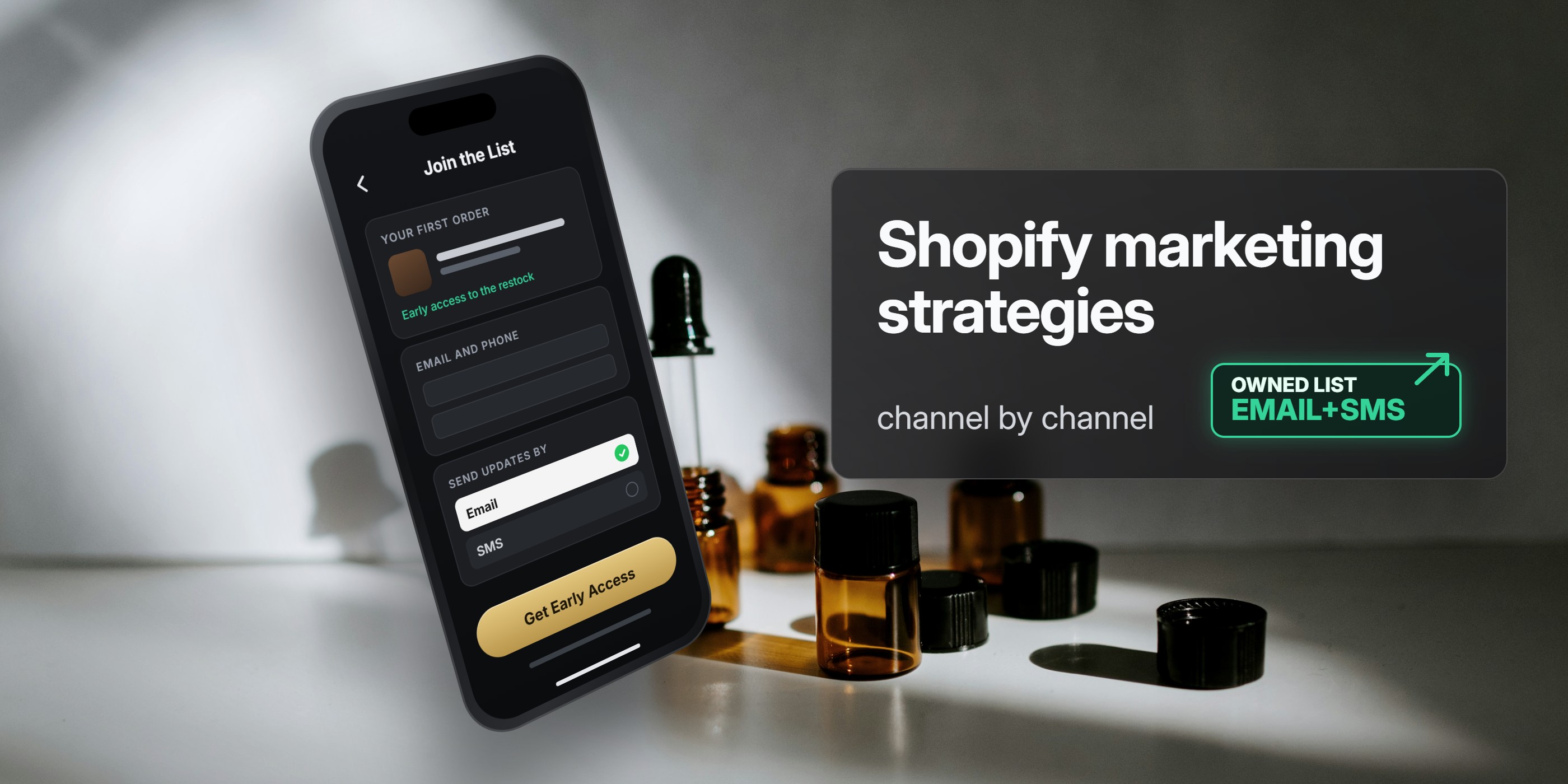
Email and SMS reach people who have already given you permission, so you aren’t bidding against other stores for their attention. Shopify Messaging, formerly Shopify Email, lets you create and send email and SMS campaigns and automations from your Shopify admin, including abandoned checkout recovery. It’s available on the Basic, Grow, Advanced and Shopify Plus plans and is priced by how many messages you send. Its app listing says your first 10,000 emails each month are free, and its SMS pricing page listed $0.012 per message to recipients in the United States, which makes email the cheapest place to start your Shopify marketing. Everything else in this guide feeds that list, which is why it comes first.
The list has to come from somewhere. The Shopify Forms app, which is free to install and use, builds popup or inline signup forms, and you can attach a discount to a form to give people a reason to join. A signup offer works best when it’s specific, such as early access to a restock or a small discount on a first order, rather than a vague promise of news.
Then build the automations before the campaigns, because they keep earning after you set them up.
- Welcome series. Two or three emails that introduce the brand and the best sellers to a new subscriber.
- Abandoned checkout. A reminder to shoppers who entered their details and left, covered in the next section.
- Post-purchase. Care instructions, a review request and a reason to come back.
- Replenishment or win-back. A nudge timed to when a product runs out, or when a customer has gone quiet.
Segment the list from the start, even if the segments are simple. Subscribers who haven’t bought, first-time buyers and repeat buyers want different messages, and sending one email to everyone treats your best customers like strangers. Campaigns come on top, for launches, restocks and seasonal sales. Our guide to email marketing for Shopify covers the flows, segments and sending schedule in detail.
Recover abandoned checkouts before you buy more traffic
Every abandoned checkout is a shopper who found you, chose a product and started to pay. Winning back even a few of them costs far less than finding new ones. Shopify treats a checkout as abandoned when it stays incomplete for more than ten minutes after the customer has given their email, and it can email those shoppers a link back to their checkout automatically. Recovery emails work for the Online Store and Buy Button sales channels, not for Shopify POS or third-party sales channels.
Get the basics right before you tune timing or discounts.
- Check that the automation is turned on and that its emails send from your own domain name.
- Show the product image, the price and a single button back to the checkout.
- Answer the likely reason for leaving, such as shipping cost, delivery time or returns, in the message itself.
- Hold any discount for a later message, so you don’t teach every shopper to abandon on purpose.
Then look at why checkouts are abandoned in the first place. A shipping cost that only appears at the last step, or a checkout that asks for an account, pushes people out before any email can bring them back.
Get found in search, the channel that keeps paying
Shopify’s help center makes the case for search in one line, that people who find your store in a search engine are probably looking for products like yours, so they’re more likely to buy. Its marketing overview describes SEO as a way to reach new customers with no additional ad costs. That’s the appeal. A product or collection page that ranks for what people type keeps bringing buyers without a click charge. The catch is time, because rankings build over months, so start early and judge late.
For most stores, the work comes down to a few jobs. Name collections and products in the words buyers search, write unique titles and descriptions, answer the questions shoppers ask on the product page itself, and publish guides that match what people search before they’re ready to buy. Our Shopify SEO guide works through each of those jobs and the limits Shopify sets that you can’t change.
Search engines aren’t the only free route. Shopify’s help center says that if your store meets the Shop Merchant Guidelines, your store and products are automatically listed in Shop, the app where customers track packages and discover new stores and products. Check that the Shop channel is installed, so your products are there for shoppers who browse it.
Run Shopping ads and Performance Max through Google
Google Shopping puts your product, price and photo in front of people who are searching for it, which makes it one of the most direct paid channels for a store. Shopify’s Google & YouTube channel automatically syncs your products and store details with Google Merchant Center, and for eligible stores selling in the United States, synced products can appear in relevant Shopping tab listings for free. Start there, fix any products Merchant Center flags, and only then put money behind them.
Once the feed is clean, you have two main campaign types. Standard Shopping campaigns show your products in Shopping results and let you decide how budget splits between product groups. Performance Max, in Google’s description, gives advertisers access to all of their Google Ads inventory from a single campaign, across channels such as YouTube, Display, Search, Discover, Gmail and Maps. Our explainer on how Performance Max campaigns work covers when to use it and how to keep it from spending on searches you’d win anyway.
Search ads on your brand name and your best product terms sit alongside Shopping. Keep them in separate campaigns with their own budgets, so you can see what each one earns. For campaign structure on a Shopify store in particular, read our breakdown of Google Ads for Shopify, then start with a budget cap you’d be comfortable losing while you learn.
Use Shop Campaigns when you only want to pay for new customers
Shop Campaigns is Shopify’s own ads program. It shows your products across the Shop app, the Shop website, the Shopify Product Network and optional third-party placements to customers in the United States and Canada, at a cost per acquisition you set, and you pay acquisition fees when a customer converts from the ad. That pricing model is the draw. Instead of paying for clicks that may never buy, you pay when the ad produces a customer. If you’re on Shopify Plus, Shopify Audiences adds another option, generating targeted audience lists for outside ad platforms such as Meta and Google.
Shopify’s help center adds that optional segment overrides let you set a higher maximum cost per acquisition for groups such as new or lapsed customers. That’s useful when a customer who has bought before is worth more to you than a one-off buyer, or when winning back a lapsed customer beats finding a stranger.
It still needs the same discipline as any paid channel. Set the most you’re willing to pay for a new customer from your own margin math, not from what the tool suggests, and compare that figure with what a first order earns you after product, shipping and payment costs. If a new customer only breaks even on the first order, the campaign pays off only when that customer comes back, so your email flows have to be live before you scale it.
Reach new buyers on social media and through creators
Social channels reach people who aren’t searching for your product yet, which makes them good for new products and visual categories and weaker for things people only buy when a need arises. From your Shopify admin, the Facebook and Instagram by Meta app syncs your products to Facebook and lets you create and manage ads, and Shopify’s social sharing tools post blog posts, products and collections straight to your accounts.
Creators can reach an audience that a new brand’s own account can’t. Shopify Collabs connects you with creators for affiliate and creator-led marketing, and lets you send gifts or discount codes, track affiliate sales and pay your affiliates from one app. Start with a handful of creators whose audience matches your buyer, give each one a unique code or link, and judge them on orders rather than views.
Post less often and better rather than daily and thin. One useful format repeated well, such as how a product is made or used, beats a feed of announcements. Our guide to social media marketing for Shopify covers which platforms suit which products and how to connect them to your store.
Publish content that answers buyers’ questions
Shopify’s help center defines content marketing as creating content to tell stories about your brand in blogs, emails, videos or social media. For a store, the most useful kind is narrower. It’s content that answers the questions people ask before they buy, because those questions are what they type into search and what holds them back at the product page.
- Buying guides that help someone choose between your products or between your category and the alternatives.
- How-to and care guides that show the product in use and cut down on returns.
- Sizing and fit pages that answer fit questions before the order is placed, instead of after a return.
- Behind-the-scenes pieces on how the product is made or sourced, for brands that sell on story.
Shopify’s content guidance suggests a mix of formats, including education such as how-to blog posts and product promotion such as demo videos and testimonials, planned on a calendar so your channels stay updated. Write a few pieces around the searches your products answer, then reuse each one in an email and a handful of social posts, so one afternoon of writing feeds three channels.
Turn buyers into reviews and referrals
Reviews do two jobs. They answer the questions a new shopper has about fit, quality and delivery, and they give search and Shopping listings more to work with. Ask for one after the product has arrived and had time to be used, not on the day of dispatch. Our walkthrough on how to add reviews to Shopify covers the apps and the request timing.
Referrals turn your happiest buyers into a sales channel. A simple two-sided offer, where both the customer and their friend get something, gives people a reason to share. It works best once you have enough repeat buyers to spread the word, so it usually comes after email is running rather than before. A Shopify referral program is usually run through an app that issues each customer a personal link and tracks the orders it brings.
Both channels grow with your order count, which is why they come later in the list. A store with fifty customers has little to ask for. A store with five thousand has a marketing channel sitting in its order history.
Make retention the channel that pays for the others
The first order from a new customer can cost most of its margin to win. The second order costs almost nothing to win if the customer is on your list. That arithmetic is why retention deserves its own line in your Shopify store marketing plan rather than being an afterthought to acquisition.
- Segment by behavior. First-time buyers, repeat buyers and lapsed buyers need different messages.
- Time the reorder. If a product lasts about a month, the reminder should land just before it runs out.
- Reward the second order. A thank-you offer on the next purchase works harder than a discount for strangers.
- Use your customer list in ads. Ad platforms let you upload customer lists, so you can leave existing buyers out of new-customer campaigns and reach lapsed ones with a different message.
Measure retention as the share of first-time buyers who order again within a set window, and how long the second order takes. If that share is rising, every acquisition channel above gets cheaper, because the same first order is worth more over time.
Run Shopify promotions without training buyers to wait
Discounts move stock and win first orders, and they also teach shoppers to wait for the next sale if you run them too often. Use them with a job in mind. Shopify’s Buy X get Y discounts can run as codes or as automatic discounts, but the free or discounted item is never added to the cart for the shopper, so the product page and cart have to tell people to add it.
- Buy X get Y to move a slower item alongside a best seller.
- Free shipping over a threshold set a little above your typical order, to lift basket size.
- A first-order code offered through your signup form, to grow the list.
- Bundles that raise the order value without cutting the price of any single item.
Plan your bigger promotions on a calendar a quarter ahead, so stock, emails and ads line up. On Shopify Plus, Launchpad lets you schedule product drops, sales and restocks to run at set times. Whatever the size of the store, keep a record of what each promotion sold at full margin and at the discount, so the next one is based on results rather than habit.
Measure what each channel earns
A Shopify marketing strategy without measurement turns into spending on whatever feels busy. Shopify’s campaign tools let you group email, social posts and paid ads under one campaign and measure the results with shareable links, QR codes and UTM matching rules, and the admin reports key metrics on the Growth page once campaigns are running.
Track a short list for every channel, and keep it the same month to month.
- Orders and revenue attributed to the channel.
- Cost per first order for every paid channel.
- Repeat purchase rate of the customers each channel brought in.
- Contribution after costs, meaning revenue minus product, shipping, fees and the channel’s own cost.
Tag every link you control. Links in emails, social bios, creator posts and QR codes on packaging should all carry tracking parameters, so an order from a creator’s story shows up as that creator’s sale rather than as direct traffic. It takes a minute per link and saves arguments about what’s working.
Ad platforms each report their own results, and their numbers can add up to more orders than your store actually took. Treat your Shopify order data as the source of truth and use the platforms’ reports to compare campaigns within each channel, not to compare channels with each other.
What we’d do first on a new Shopify store
We’d spend the first month of Shopify marketing on the channels that cost little and keep working. Signup forms with a specific offer, the welcome and abandoned checkout automations, and products syncing to Google so they can appear in free listings. None of that needs an ad budget, and all of it makes later paid traffic worth more.
Only then would we add one paid channel, with a cap and a target cost per first order worked out from the store’s own margin. We’d judge it after enough orders to mean something, and only add a second paid channel once the first is profitable after repeat orders are counted.
Creators, referrals and reviews would come next, once there are enough happy customers to ask. Those channels borrow trust from people who already like the product, so they have more to work with once a few hundred orders are behind you.
Your next step this week is to check three things in your admin. Is a signup form live, is the abandoned checkout automation turned on, and are your products syncing to Google? If any answer is no, start there. If you’d rather have a team plan and run it with you, we work with Shopify stores, so weigh our stake accordingly, and look at what a Shopify marketing agency engagement covers before you decide.
Frequently asked questions
Does Shopify handle advertising?
Not for you. Shopify's help center says Shopify Support can't help you set up third-party marketing services such as social media accounts or advertising. What Shopify does offer is Shop Campaigns, its own ads program that charges when a customer converts, and apps that connect your store to Google and Meta so you can run ads there. The planning, budgets and creative stay with you or whoever you hire.
Do I have to promote my Shopify store?
Yes. A new store doesn't show up anywhere on its own until search engines index it, and even then it competes with sellers who have years of reviews and links. Early orders tend to come from people you reach directly, such as your own network, an email list, a marketplace listing or a small paid test, while search and content build in the background. Promotion never fully stops, because past buyers need reasons to come back too.
How much does Shopify marketing cost?
It can start close to free and grow with your budget. The Shopify Forms app is free to install and use. Shopify Messaging charges by the number of messages you send, and its SMS pricing page listed $0.012 per message to recipients in the United States. Shop Campaigns charges acquisition fees when a customer converts, at a cost you set, and Google or Meta bill your ad spend directly. The biggest cost is usually time or ad spend, not the tools.
How to do buy 1 get 1 free on Shopify?
Create a Buy X get Y discount. From your Shopify admin, go to Discounts, click Create discount and choose Buy X get Y. Set what the customer buys and what they get, then choose Free as the discounted value. You can run it as a discount code or as an automatic discount. Shopify never adds the free item to the cart for the shopper, so tell people on the product page to add both.
How to get customers on Shopify store?
Build the routes customers use to find stores like yours, in an order your budget can carry. Start with what costs time rather than money, meaning a signup form, abandoned checkout emails, products synced to Google for free listings and product pages that answer what buyers search. Add one paid channel once a product converts, with a cap on what a first order may cost, then ask early buyers for reviews and referrals as orders grow.
What is a marketing strategy?
A marketing strategy is your plan for who you'll sell to, what you'll tell them and which channels you'll use to reach them, with a budget and a way to measure results. For a Shopify store it comes down to a few choices. Which buyers you target, what makes your offer different, which two or three channels get your effort, and how you'll bring first-time buyers back for a second order.
How does someone find my Shopify store?
Through the routes you build. People find a Shopify store through search engines once its pages are indexed, through Google Shopping listings, through the Shop app, through social posts, creators and ads, through marketplaces, and through links in emails and on other sites. A new store with none of those in place gets very few visitors, so pick two or three routes and build them on purpose rather than waiting.
How to promote without paying?
Use the channels that cost time instead of money. Write product and collection pages that answer what buyers search for, sync products to Google for free Shopping listings where you're eligible, post useful content on one or two social platforms, ask early buyers for reviews and collect emails with a signup form. Partner with complementary brands or creators on product swaps or commission rather than fees. None of it is instant, so start early.